Full Project 👇
Pro Video Editor Banane Ka Complete Roadmap: Zero To Hero Industry Guide M4 61
Professional video editing industry mein 7+ saal se zyada ka real-world experience rakhne wale expert editor dwara yeh digital space design kiya gaya hai. Gaming, corporate, aur cinematic short-form content ki scaling ko samajhte hue, unhone apne YouTube channel m4editorofficial (13.6K+ subscribers) aur Instagram page m4_editor_official (145K+ followers) par ek behtareen community khadi ki hai. Is platform ka ek hi vision hai: paid institutes ke mahenge secrets ko asan Hinglish mein bilkul free share karna taaki aane wali generation genuine skill-set seekh sake.
Pro Video Editor Banane Ka Complete Roadmap: Zero To Hero Industry Guide
Content creation ki is tezi se badhti duniya mein, ek video ki real soul uski editing table par taiyar hoti hai. 2026 mein raw footage to har koi record kar leta hai, par us boring file ko ek high-retention masterpiece mein badalna sirf ek skilled editor ko aata hai. Aaj market mein short-form reels, YouTube vlogs, aur commercial ads ki demand peak par hai. Agar aap is field mein apna career set karna chahte hain, to bina kisi structured plan ke aap bheed mein kho jayenge.
Is an exhaustive and deeply researched guide mein hum baat karenge Pro Video Editor Banane Ka Complete Roadmap ke baare mein. Yeh koi theoretical lecture nahi hai, balki mere pichle saalo ke hardcore experience par aadharit ek practical step-by-step formula hai jo aapko ek local editor se high-paying international professional bana dega.
Step 1: Core Fundamentals Ko Samjhein (Software Se Pehle Storytelling)
Maximum beginners sabse badi galti yahi karte hain ki wo pehle hi din Premiere Pro ya DaVinci Resolve seekhne baith jaate hain. Software sirf ek zariya (tool) hai, real editing aapke dimaag mein hoti hai. Ek pro editor banne ke liye aapko in core concepts par command karni hogi:
1. Pacing and Rhythm
Har video ki ek apni heartbeat hoti hai. Ek aggressive gaming montage ki pacing fast hogi, jabki ek emotional documentary ya storytelling video ki pacing slow aur deep hogi. Aapko samajhna hoga ki kab cut lagana hai aur kab frame ko hold karna hai. Agar aapka cut music ki beat ke sath match nahi kar raha, to viewer ka attention instantly drop ho jayega.
2. Continuity Editing Vs Critical Cuts
Aapki video ka agla shot pichle shot se bilkul connected lagna chahiye. Frame ka angle, character ki movement, aur lighting mein ek flow hona chahiye jise hum continuity bolte hain. Iske sath hi, jump cuts ka use tabhi karein jab video ka boring space hatana ho, na ki bina kisi vajah ke frame jhatke khaye.
Step 2: Sahi Hardware Aur Software Setup Ka Selection
Roadmap ka agla bada milestone hai, tools ko master karna. 2026 mein industry standard software kaafi advanced ho chuke hain, isliye aapko apne interest ke hisab se sahi ecosystem chunna hoga.
PC / Mac Editors Ke Liye (Industry Standards)
- Adobe Premiere Pro: Agar aapko YouTube content, corporate videos, aur short films par kaam karna hai, to Premiere Pro universal choice hai. Iska dynamic link Adobe After Effects ke sath workflow ko smooth bana deta hai.
- DaVinci Resolve: Colour grading ki duniya ka raja. Agar aapka interest cinematic videos, high-end commercial ads, aur music videos mein hai, to DaVinci Resolve se behtar koi tool nahi hai. Iska free version bhi kaafi powerful hai.
- Final Cut Pro (FCP): Agar aap Mac user hain, to FCP ka render time auroptimisation top-tier hai, jo vlogging aur fast-paced editing ke liye best mana jata hai.
Mobile Editors Ke Liye (Short-Form Revolution)
- CapCut Aur VN Video Editor: Agar aap sirf mobile se content design kar rahe hain, to in tools par aapko frame-by-frame cutting, basic keyframing, aur vertical canvas match karne ki poori aazadi milti hai.
Step 3: Advance Timeline Structure and Audio Design Hacks
Jab aap basic cuts seekh jayein, to aapko timeline optimisation par focus karna hoga. Ek professional editor ki timeline dekh kar hi uski expertise ka pata chal jata hai.
Timeline Layout Rules
Hamesha vertical layer optimisation follows Karein. V1 layer par hamesha main video track aur talking head hona chahiye. V2 par aapke B-rolls aur visual overlays hone chahiye. V3 par texts, shapes, aur lower thirds aur sabse top layer par Adjustment Layers honi chahiye taaki poori video par ek sath color correction apply kiya ja sake.
- Layer V4: Adjustment Layers (Colour Grade / Grain / LUTS)
- Layer V3: Typography / Auto-Captions / Graphics / Callouts
- Layer V2: B-Rolls / Vector Icons / Stock Footage Overlays
- Layer V1: Main Video Track (A-Roll / Raw Footage)
Sound Design: 50% Visuals, 50% Audio
Bohot se beginners sound design ko ignore kar dete hain, jabki real engagement audio se hi banta hai.
- SFX Layering: Jab bhi screen par koi text ya image aaye, to piche ek Whoosh, Pop, ya Mouse Click sound lagayein.
- Ambiance Track: Background mein chal raha halka sa ambient noise ya music video ke pacing ke sath match hona chahiye. Audio ko hamesha -6dB se -12dB ke bich mix karein taaki user ke kaano par music chubhe nahi.
Step 4: Short-Form Content (Reels/Shorts) and Dynamic Retention Framework
2026 ke is market mein high-retention short content edit karna sabse zyada profitable skill ban chuka hai. Is roadmap mein hum baat karenge us retention framework ki jo badi brands use karti hain.
1. The 3-Second Hook Rule
Aapki reel ka sabse pehla 3-second user ko scroll karne se rokna chahiye. Iske liye start mein hi ek dynamic text transition, ek interesting statement sound, aur ek impactful visual punch add karein.
2. Kinetic Typography and Modern Motion Graphic
Mute screen par bhi video samajh aani chahiye, isliye dynamic automatic captions ka use karein. Auto-generated captions ko customise karke unmein scaling animation, yellow/green colour highlights, aur smooth slide-in effects add karein taaki user ka dimaag continuously screen par focus rakhe.
Step 5: Advanced AI Workflow Aur Automation Ke Sath Speed Unlocking
Ek pro editor sirf achhi video nahi banata, wo use sabse kam samay mein deliver karta hai. 2026 mein AI tools aapke assistant ban chuke hain, jinka roadmap mein include hona behad zaruri hai.
- AI Silence Cutters: Descript ya Premiere Pro ka Text-Based Editing feature use karein. Raw footage ki transcript padhkar seedhe text delete kijiye, timeline se un-wanted parts aur pauses automatic saaf ho jayenge.
- AI Voice Isolation: Agar field par mic ne wind noise ya background traffic capture kar liya hai, to Adobe Podcast AI ka use karke seconds mein studio-quality speech isolate karein.
- Smart Color Match: Desktop editors ke AI Color Match function se ek master frame ka color grade baaki 50 clips par ek click mein copy karein.
Step 6: Client Acquisition and Pricing Strategy (Earning Phase)
Skills seekhne aur portfolio banane ke baad sabse bada step hota hai deals ko close karna aur market ke mutabik sahi price charge karna. Agar aap professional hain, to aapko apni pricing model ko clear rakhna hoga.
1. Pricing Structure Kaise Decide Karein?
2026 mein industry mein teen tarah se pricing hoti hai:
- Per Project Basis: Yeh tab best hai jab aapko kisi brand ke liye ek single premium commercial ad ya long-form documentary banana ho.
- Monthly Retainer: YouTubers aur Reel creators ke sath hamesha monthly tie-up karein (jaise 15 Reels ya 4 Long Videos per month). Isse aapki ek fixed recurring income bani rehti hai.
- Per Edited Minute: Yeh standard film ya corporate style mein chalta hai, jahan raw footage jitna bhi ho, final video ki length ke hisab se paise charge kiye jaate hain.
2. International Clients Ko Target Karein
Sirf local clients tak seemit na rahein. Upwork, Fiverr, aur LinkedIn par apni profile ko optimise karein. Apni bio mein “Video Editor” ki jagah “Video Marketing Expert & Retention Editor” likhein. Western countries ke creators ka budget high hota hai, isliye agar aap ek local video ka 5,000 charge karte hain, to international clients usi kaam ka 20,000 se 30,000 tak asani se de dete hain.
Bonus Tip: Custom Asset Library and Workflow Management System
Apni editing speed ko 3x karne ke liye hamesha har project ko scratch se shuru mat kijiye. Apne desktop ya cloud par ek custom Asset Bank Folder banayein. Is folder mein niche batayi gayi cheezein pehle se organised honi chahiye:
- XML & MOGRT Presets: Text animations, cinematic shake effects, aur custom transitions ke ready-made presets save rakhein.
- Sound Bank: Alay-alag categories jaise Cinematic Risers, Swooshes, Sub-Booms, Impact Hits, aur Lofi Chill background music ka ready asset pack rakhein.
- Overlay Stash: Film grain, light leaks, aur texture paper overlays ka ek clean folder banayein, jise drag-and-drop karke seconds mein premium aesthetic look laya ja sake.
Scan App Name Google Lens 👇
Pro Video Editor Success Checklist: Daily Practice Tracking
WordPress table blocks ke sath perfectly compatible rehne ke liye niche di gayi standard checklist ko follow karein:
Phase Number
Target Task
Success Key Metric
Phase 1
Timeline Layout Mastery
Zero clutter, strictly structured layer system.
Phase 2
Sound Design Integration
Balanced sound effects mixed down to -6dB.
Phase 3
Colour Correction & Match
Perfect skin tones and cross-clip match.
Phase 4
Outreach & Showreel
Sending 5 custom-pitched samples daily to creators.
Conclusion
Pro Video Editor Banane Ka Complete Roadmap sirf dher saare softwares ke naam ratne ka naam nahi hai, balki creativity, speed aur client management ka ek sahi balance hai. AI ke is advance daur mein wahi editor tik payega jiske paas unique creative vision aur behtareen storytelling power hogi. Is roadmap ke har ek step ko step-by-step apni daily life mein implement karein, daily kam se kam 2 ghante raw footage par practice karein, aur naye trends ke sath khud ko adapt karte rahein. Mehnat aur sahi direction ke sath aap bohot jald is industry ke top 1% editors mein shamil ho jayenge!
Preset 👉 DWONLOAD
Xml File 👉 DWONLOAD
Alight Motion 👉 DWONLOAD
Alight Motion Project Import Problem 👇
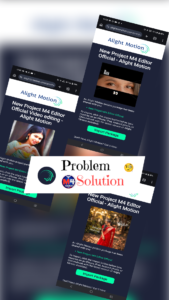
Solution👇