10 Chatgpt Prompt 👇
AI Tools Se Video Editing Kaise Fast Karein? 2026: Pro Workflow Aur Speed Hacks M4 62
Professional video editing industry mein 7+ saal se zyada ka gahra anubhav (experience) rakhne wale expert editor dwara yeh blog chalaya ra raha hai. Gaming, cinematic aur trending reels ki duniya mein ek jaana-maana naam hone ke sath, unka YouTube channel m4editorofficial (13.6K+ subscribers) aur Instagram page m4_editor_official (145K+ followers) pure India ke creators ko engage karta hai. Is website par wo apna real-world workflow aur premium secrets bilkul free mein share karte hain taaki har beginner genuine editing seekh sake.
AI Tools Se Video Editing Kaise Fast Karein? 2026: Pro Workflow Aur Speed Hacks
Aaj ka daur content creation ka hai, aur jo creator jitna jaldi high-quality video deliver karega, wo utna hi tezi se grow karega. 2026 mein video editing ka pura ecosystem badal chuka hai. Agar aap abhi bhi wahi purane, lambe manual tarike use kar rahe hain, to aap apna bohot sa valuable time waste kar rahe hain.
Is detailed guide mein hum baat karenge ki kaise aap AI Tools Se Video Editing Kaise Fast Karein? 2026 ke naye advancements ko samajhkar apna 50% tak ka time bacha sakte hain aur creator economy mein sabse aage nikal sakte hain.
AI Tools Se Video Editing Kaise Fast Karein? 2026 Ka Naya Formula
2026 mein AI aapko replace nahi kar raha, balki aapke workflow ko 10x fast bana raha hai. Ek professional editor ka sabse zyada samay boring aur repetitive tasks mein jata hai—jaise rough cuts lagana, background noise hatana, aur subtitles likhna. AI tools in kaamo ko palkein jhapakte hi kar dete hain.
1. Automated Rough Cuts Aur Text-Based Editing
Pehle humein ghanto ka footage dekh kar ‘Ums’, ‘Aahs’ aur silence parts ko manual cut karna padta tha. Ab Descript ya Adobe Premiere Pro AI Text-Based Editing se aap poori video ki transcript dekh sakte hain. Aapko jo line nahi chahiye, bas use text se delete kar dijiye, video se wo part apne aap cut ho jayega.
Pro Tip: Agar aap mobile editor hain, to CapCut ya Vn Video Editor ka AI Silence Remover feature use karein. Yeh ek click mein saare pause hata deta hai jisse aapka rough cut seconds mein taiyar ho jata hai.
2. Smart AI Audio Enhancer & Voice Isolation
Kharab audio kisi bhi achhi video ko barbad kar sakti hai. Manual audio mastering aur equalization mein bohot time lagta hai. Adobe Podcast AI ya Auphonic ka use karke aap normal smartphone se record ki gayi audio ko bhi studio-quality sound mein badal sakte hain. Bas apni file upload karein aur AI background noise ko bilkul khatam kar dega, jisse aapka audio mixing ka ghanto ka kaam minutes mein ho jata hai.
Step-By-Step Process: AI Se Video Editing Fast Karne Ka Real Workflow
Agar aapko lagta hai ki AI tools ka use random tarike se karna hai, to aap galat hain. Ek professional editor ki tarah tezi se kaam karne ke liye aapko ek structured system follow karna hoga. Niche diye gaye step-by-step process ko follow karein:
Step 1: Script Aur Voiceover Ka AI Alignment
Sabse pehle apne raw voiceover ya video file ko ElevenLabs ya Adobe Premiere mein import karein. AI transcription tool ki madad se text file generate karein. Isse aapko pata chal jayega ki video ki timeline par kahan par kaun sa word bola gaya hai. Is step par AI aapke pure audio track ko normalize aur clean kar deta hai.
Step 2: Smart Detection Aur B-Roll Generation
Ab aapko jahan bhi lagta hai ki video boring ho rahi hai aur wahan visual change hona chahiye, un keywords ko select karein. Runway Gen-3 ya OpenAI Sora jaise advanced AI generators mein un keywords ko daalkar text-to-video ya image-to-video command dein. Kuch hi seconds mein aapki script se match karta hua cinematic footage ready ho jayega jise aap backup layer par daal sakte hain.
Step 3: AI Face Framing Aur Auto Reframe (Multi-Platform Delivery)
Agar aapne video horizontal (16:9) format mein shoot ki hai aur aap use YouTube Shorts ya Instagram Reels (9:16) par dalna chahte hain, to ab manual keyframing ki zarurat nahi hai.
- Auto Reframe Tool: Software ka AI khud ba khud video ke main subject ya face ko track karta hai aur frame ko hamesha center mein rakhta hai. Isse ek hi video ko alag-alag formats mein export karna 5x fast ho jata hai.
Step 4: Intelligent Scene Cut Detection
Agar aapke paas koi aisi lambi video file hai jo pehle se edited hai ya jismein bohot saare alag-alag shots ek sath jude hain, to unhe alag karne mein ghanto lag sakte hain.
- Kaise Use Karein: Video par right-click karein aur Scene Cut Detection select karein. AI automatic har ek scene change ko detect karke timeline par cuts laga dega. Ab aap har shot ko alag se tweak ya replace kar sakte hain.
Advance AI Tools Jo Video Production Ko Fast Banate Hain
2026 mein software ke andar hi aise features integrate ho chuke hain jo pehle karne ke liye professional plugins kharidne padte the. Inka sahi use hi aapki speed decide karta hai.
1. AI Color Matching Aur Automated Grading
Agar aapne alag-alag cameras ya alag-alag lighting conditions mein shoot kiya hai, to har ek clip ka color match karna sabse bada sir dard ban jata hai. DaVinci Resolve ya Premiere Pro ka AI Color Match tool use karein. Yeh ek master clip ke colors ko analyze karke baaki saari video clips par waisa hi cinematic tone automatic apply kar deta hai, jisse manual color balancing ka time poori tarah bach jata hai.
2. AI Object Removal (Inpainting Technology)
Agar aapki perfect video recording ke background mein koi anjan vyakti, wire, ya kachra aa gaya hai, to pehle use frame-by-frame mask karna padta tha. Ab After Effects Content-Aware Fill ya CapCut AI Object Removal se aap use bas brush se select karein. AI us object ko gayab karke background ko bilkul natural tarike se fill kar deta hai.
Smart Subtitle Automation Aur Typography Hacks
Ek aur bada time-taking process hai har ek line ko manually screen par type karna aur sahi timing ke sath match karna. 2026 mein ye kaam automatic captions ke zariye seconds ka ho chuka hai.
Auto-Captions Ka Sahi Aur Fast Use
Aaj kal captions ka bada trend hai kyunki 80% log videos mute karke dekhte hain. CapCut, Blink, ya Adobe Premiere ke AI Captions feature se aap Hinglish, Hindi ya English captions automatic generate kar sakte hain.
- Editor Insight: Sirf auto-caption par mat chhodein. AI dwara generate kiye gaye text ka font hamesha bold aur readable rakhein (jaise Montserrat ya Bold Sans-serif). Important words ko yellow ya green color se highlight karein taaki audience retention badhe aur readable animation setup automatic apply ho sake.
Bonus Tip: Superfast Workflow Ke Liye Presets Aur Asset Bank Banayein
Agar aap waqai apni editing speed ko triple karna chahte hain, to har baar scratch se editing shuru mat kijiye. Apne liye ek custom Asset Bank taiyar karne ke liye AI aur cloud ka use karein.
- Smart Templates: Jo bhi transitions, text animations ya color grades aap bar-bar use karte hain, unhe templates ke roop mein save karke rakhlein.
Sound Effects (SFX) Folder: Ek alag folder banayein jismein Whoosh, Mouse Click, Camera Shutter, aur Cinematic Risers pehle se sorted ho. AI sound generators se aap custom sound effects bhi generate kar sakte hain jo aapki timing ke sath sync hote hain.
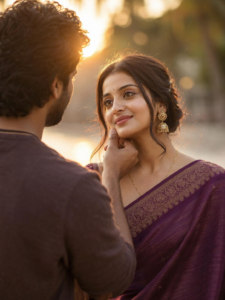
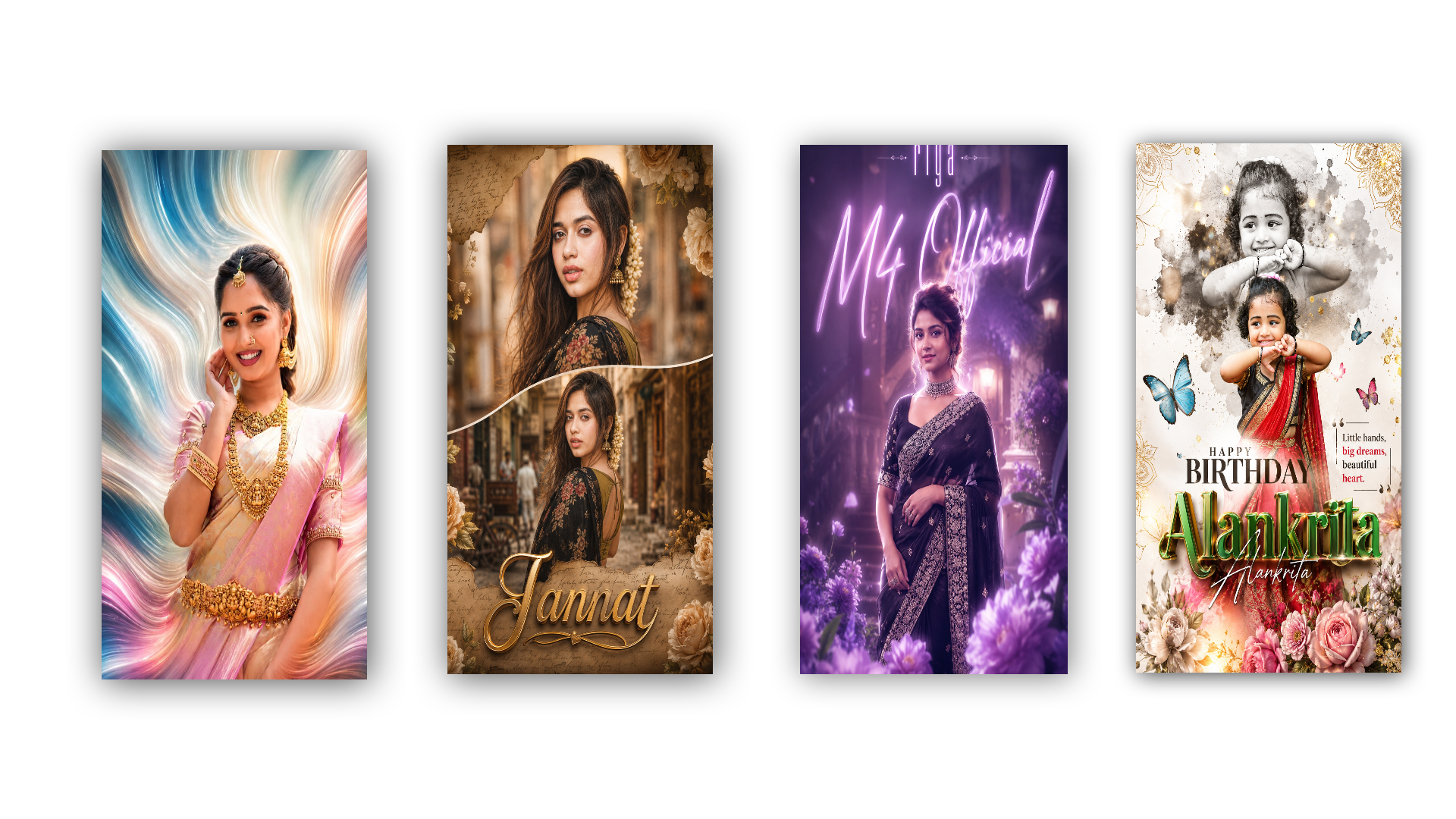
Prompt👇
Ultra-realistic cinematic portrait of a beautiful young South Indian woman wearing a deep purple silk saree with an elegant gold embroidered border, traditional antique gold jhumka earrings, a delicate chain necklace, and a small black bindi. Her hair is neatly tied back with soft loose strands framing her face. She has expressive eyes, glowing natural skin, and a gentle emotional expression. A young man is shown from the back in the foreground, softly holding her chin in a romantic gesture. Warm golden-hour sunset lighting creates soft rim light on their faces, with a dreamy creamy bokeh background, shallow depth of field, realistic skin texture, cinematic color grading, volumetric light, DSLR photography, 85mm lens, f/1.8, ultra-detailed, HDR, 8K, highly realistic, emotional Telugu movie scene, soft focus, natural outdoor environment.
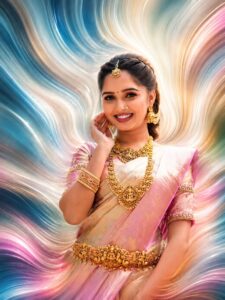
Prompt👇
Ultra-realistic cinematic portrait of a beautiful young South Indian woman wearing a soft cream and pink silk saree with a golden border, adorned with heavy traditional temple gold jewelry including layered necklaces, waist belt (vaddanam), bangles, jhumka earrings, maang tikka, and a small black bindi. She has a warm natural smile, glowing skin, expressive eyes, and neatly tied hair. The background features mesmerizing abstract flowing liquid waves in vibrant teal, blue, white, pink, peach, and golden colors with a dreamy swirl effect. Soft volumetric lighting, premium color grading, shallow depth of field, ultra-detailed face, realistic skin texture, HDR, 8K resolution, high contrast, vibrant colors, centered composition, luxury fashion portrait, studio-quality, Instagram viral aesthetic, sharp focus, masterpiece, photorealistic. 4:3
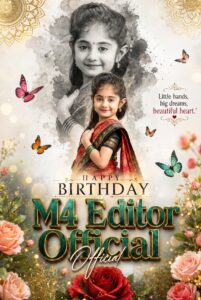
Prompt👇
Ultra-realistic premium birthday poster design featuring a cute young Indian girl in a traditional red and black saree, smiling confidently and posing gracefully outdoors. Elegant white luxury background with golden mandala ornaments in the corners, colorful butterflies, floral decorations, and soft bokeh lights. Large black-and-white artistic watercolor splash portrait of the same girl in the upper section creating a double-exposure effect. Bold stylish typography reading “HAPPY BIRTHDAY” in the center. Massive 3D emerald-green and gold metallic text displaying the name M4 Editor Official”” with elegant handwritten signature-style text overlapping. Inspirational quote on the side: “Little hands, big dreams, beautiful heart.” Premium floral elements at the bottom, glowing particles, soft shadows, vibrant colors, cinematic lighting, depth of field, ultra-detailed facial features, professional photo manipulation, luxury social media birthday poster, high resolution, 8K quality, trending graphic design, Instagram birthday banner, masterpiece.
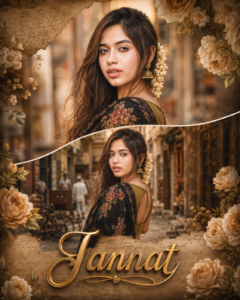
Prompt 👇
Create an ultra-realistic cinematic South Indian traditional portrait poster featuring a beautiful young woman in a black floral saree with an olive-green blouse, standing in a vintage old-town street. Long wavy hair decorated with jasmine flowers, traditional jhumka earrings, soft natural makeup, expressive eyes, elegant pose. Use a dual-photo collage layout with one close-up portrait on top and one half-body/back-view portrait below, separated by a smooth curved white divider. Warm golden-hour lighting, creamy bokeh background, shallow depth of field, rich brown and golden color grading, dreamy atmosphere, vintage aesthetic. Add decorative beige roses, floral elements, handwritten script textures, antique paper overlays, and luxurious poster design details around the frame. Large stylish 3D golden calligraphy text at the bottom with the name “M4 Editor Official”. Ultra-detailed skin texture, HDR photography, professional color grading, soft glow, photorealistic, DSLR quality, cinematic composition, high contrast, 8K resolution, masterpiece, premium social media poster design. 4:5
Prompt👇
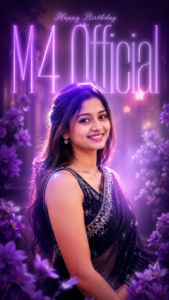
Dreamy cinematic purple-glow portrait poster of a beautiful Indian woman wearing an elegant black embroidered saree with silver detailing, standing gracefully and looking directly at the camera. Soft lavender neon typography in the background displaying glowing title text M4 Official, glowing riya text in some others font like long and thin type, and text glowing is low, and riya text up side small letter in white silver text in happy birthday, modern editorial poster design. Purple flowers in the foreground creating depth and framing the composition. Ethereal haze, soft bloom effect, glowing rim light around the subject, pastel lavender and violet color palette, creamy highlights, shallow depth of field, blurred luxury interior background, cinematic lighting, soft focus, volumetric glow, high-end fashion magazine aesthetic, ultra-detailed face, smooth skin tones, elegant jewelry, dreamy atmosphere, premium album-cover style, photorealistic, 4K quality, HDR, professional color grading, soft bokeh, fantasy-inspired lighting, vertical poster composition (9:16)
Timeline Optimization: Professional Editors Ki Ek Chhupi Hui Technique
Speed sirf software ke fast hone se nahi aati, balki timeline ko organize karne se aati hai. Jab aap kisi bhi software mein AI workflow par kaam kar rahe hon, to hamesha niche diye gaye hierarchy ko follow karein:
Layer Order
Content Type
Top Layer
Adjustment Layers / LUTS / Overlays
Second Layer
Captions / Texts / Graphics / Stickers
Third Layer
B-Rolls / Screenshots / AI Generated Images
Base Layer
Main Talking Head Video + Ma
in Audio
Is tarah ki structural editing se aapka dimaag confuse nahi hota aur aap bohot hi tezi se cuts lagate hue final render tak pahunch sakte hain.
Conclusion
AI Tools Se Video Editing Kaise Fast Karein? 2026 mein iska seedha sa jawab hai—AI ko apna dushman nahi, apna assistant banayein. Boring, manual aur repetitive kaamo ko AI tools ke hawale karein aur apna focus creative storytelling, sound design aur audience engagement par lagayein. Editing ek aisi skill hai jo sirf padhne se nahi, balki daily practice aur tools ke sahi use se aati hai. Aaj hi is step-by-step process aur AI features ko apne workflows mein implement karein aur superfast editor banein!