About the Author:
Aadab aur namaste creators! Mera naam MD Maqsood hai aur pichle 7 saal se zyada samay se main video editing aur post-production industry mein full-time active hoon. Apne digital platforms jaise YouTube par m4editorofficial (13.6K+ subscribers community) aur Instagram handle @m4_editor_official (145K+ video makers) ke through main roz naye generation ke editors ko practical visual tricks, production secrets aur genuine workflows bilkul free sikhata hoon. AI tools ke aane ke baad visual creation bohot fast ho chuka hai, aur mera focus yahi rehta hai ki aap technical complexities mein uljhe bina industry-standard cinematic results apne dam par produce kar sakein.
Flow AI Realistic Human Video Prompts: Photorealistic AI Videos Banane Ka Secret Guide M4 185
Aaj ke content creation world mein generative AI ne video production ka poora game badal kar rakh diya hai. Pehle ek high-end cinematic human shot capture karne ke liye expensive cameras, cinema lighting kits, professional actors aur location permits ki zaroorat padti thi. Lekin modern video generators jaise Flow AI ne ye saari boundaries khatam kar di hain. Ab aap sirf ek detailed text command likhkar cinematic quality ke ultra-realistic human characters generate kar sakte hain.
Lekin sabse bada challenge tab aata hai jab beginners simple ek line ka prompt likhte hain aur result mein unhe plastic jaisi skin, distorted fingers, aur robotic, lifeless aankhein dekhne ko milti hain. Real magic software ke andar nahi, balki aapke prompt writing structure mein chhipa hota hai. Jab aapko cinema terminology, lighting dynamics aur facial micro-expressions ko prompt mein describe karna aa jata hai, tab screen par aane wala character 100% human lagta hai.
Is exhaustive guide mein hum step-by-step explore karenge ki Flow AI Realistic Human Video Prompts ko master level par kaise draft kiya jaye, taaki aapki generated videos Instagram Reels, YouTube Shorts ya commercial visual projects mein ekdum authentic dikhein.
1. Realistic Human Prompt Architecture Ka Foundation Formula
Kisi bhi AI video model ko command dene se pehle aapko ek structured layout follow karna padta hai. Agar aap random keywords daalenge, toh neural network confuse ho kar unhe theek se interpret nahi kar payega. Ek cinematic human shot create karne ke liye ye 5-layer formula industry benchmark maana jata hai:
- Subject Anatomy: Character ki age, ethnicity, facial features, hair type aur outfit texture.
- Micro-Action & Emotion: Character sirf khada na ho; uska gaze shift, natural blink, subtle breath ya mild smirk clearly mention karein.
- Camera Optics: Lens focal length (jaise 35mm, 50mm, 85mm), aperture depth, aur camera movement (dolly, orbit, pan).
- Lighting Quality: Directional soft light, volumetric rim light, ya natural golden hour sunshine.
- Atmospheric Environment: Depth of field, bokeh background, film grain texture
Jab aap in paanchon elements ko ek organic sentence structure mein pirote hain, toh output robotic 3D render lagne ke bajaye ek live-action film frame jaisa lagta hai.
2. Facial Micro-Textures Aur Natural Skin Imperfections Prompting
AI video models mein human character fake dikhne ka sabse bada reason hota hai Over-Smooth Plastic Skin. Real humans ki skin par pores, light wrinkles, freckles aur natural subsurface scattering hoti hai.
Natural Skin Texture Prompt Keywords
- Skin Realism: Visible skin pores, delicate facial peach fuzz, hyper-detailed skin texture, realistic epidermis reflection, authentic subsurface scattering.
- Eyes & Gaze: Moist cornea reflection, realistic pupil dilation, detailed iris patterns, soft natural eye blinking, focused expressive gaze.
- Facial Mechanics: Subtle jaw movement while breathing, natural micro-muscle twitches, soft forehead crease upon speaking.
Beginner Practical Tip: Kabhi bhi prompt mein sirf flawless skin ya smooth face na likhein. Iski jagah hamesha natural skin imperfections, organic subsurface scattering, photorealistic skin details jaise technical terms use karein. Isse AI plastic filter apply karne ke bajaye natural light reflection render karta hai.
3. Cinematic Camera Angles Aur Lens Optics Ki Framing
Professional cinematography mein camera lens shot ka perspective aur mood decide karta hai. Agar aap standard angle chhod kar precise focal lengths prompt mein define karenge, toh character ka distortion khatam ho jata hai.
Recommended Optics & Framing Keywords
- 85mm Portrait Lens (F/1.8): Close-up emotional shots ke liye best hota hai. Isse background ultra-soft bokeh mein blur ho jata hai aur character ka face bina kisi wide-angle distortion ke flat aur natural dikhta hai.
- 35mm Street Lens (F/2.8): Cinematic walking vlogs aur dynamic environment interaction ke liye perfect hai. Isme character ke sath surrounding environment ka context bhi clear rehta hai.
- Camera Movements: Hamesha static shots ke bajaye subtle camera motion prompt karein:
- Slow cinematic push-in dolly shot focusing on the character’s eyes.
- Handheld, organic camera movement with a gentle, natural drift.
- Subtle tracking shot keeping the subject in sharp focus while walking.
4. Lighting Magic: Volumetric, Rim and Golden Hour Techniques
Lighting kisi bhi visual ka soul hoti hai. Sahi lighting prompt karne se character 3D environment ke sath seamlessly blend ho jata hai aur flat digital cut-out jaisa nahi lagta.
- Three-Point Lighting Setup: Prompt mein soft key light illuminating forty-five degrees of the face, delicate fill light preserving shadow details, and crisp rim light separating hair from background mention karein.
- Golden Hour Sunshine: Outdoor shots ke liye low-angle warm golden hour sunlight, sun flare refracting across the camera lens, soft warm skin tones add karein. Yeh lighting naturally organic lagti hai aur digital sharpness ko balance karti hai.
- Moody Cyber/Neon Lighting: Night shots ke liye diffused cyan and magenta volumetric neon lights, wet pavement reflections, dramatic chiaroscuro high-contrast shadows ka use karein.
5. Flow AI Ready-to-Use Master Prompts For Different Genres
Aapki convenience ke liye yahan alag-alag popular visual styles ke plug-and-play prompts diye ja rahe hain, jinhe aap directly modify karke use kar sakte hain.
A. Cinematic Urban Close-Up Shot (Emotional & Moody)
A photorealistic cinematic medium close-up of a 28-year-old South Asian woman standing on a busy rain-slicked city street at twilight. Authentic visible skin pores, gentle rain mist droplets clinging to her wool scarf, subtle wind moving stray hair strands. Her dark eyes reflect neon street signs with soft emotional depth, looking gently away before meeting the camera lens. Shot on an 85mm prime cinema lens at f/1.8, soft bokeh background, delicate warm rim lighting highlighting facial contours, natural colour grading, organic 35mm film grain, 4k ultra-detailed photorealism.
B. High-Energy Tech Creator / Workspace Shot
Cinematic eye-level medium shot of a 30-year-old man working at a modern minimalist studio desk with warm ambient wood tones. Natural facial expression, focused gaze, delicate smile as he speaks directly towards the lens. Realistic fabric texture on his charcoal cotton T-shirt, hyper-detailed beard hair and skin micro-textures. Soft, diffused window daylight from the left, subtle teal backlighting on equipment shelves, shallow depth of field, steady,y slow dolly-in camera motion, commercial video production quality, raw realism.
C. Aesthetic Nature Travel / Golden Hour Movement
Photorealistic slow-motion wide-to-medium tracking shot of a 25-year-old traveller walking through a sunlit pine forest. Golden hour sun rays piercing through tree branches, creating volumetric light beams. The subject turns their head slightly back, smiling warmly with natural eye blinks. Realistic fabric flow on an oversized beige trench coat, crisp autumn leaves drifting on the ground. Shot on an anamorphic lens, organic motion blur, authentic sunlight lens flares, natural cinematic warm tones, lifelike physics.
6. Prompt Engineering: Negative Prompts Aur Parameters Tuning
Jitna zaroori yeh janna hai ki prompt mein kya likhna hai, utna hi crucial yeh janna hai ki AI ko kin cheezon se door rakhna hai. Negative prompts aapke video ke output ko clean aur stable banate hain.
- Essential Negative Keywords: Plastic skin, extra fingers, deformed limbs, floating eyes, cartoonish textures, CGI render, video game graphics, over-saturated colours, warped face, jittery motion, blurry pupils, artificial gloss.
- Motion Consistency Parameters: AI video generators mein motion level ko hamesha medium (around 4 se 6 scale par) set karein. Extreme high motion select karne se character ke body proportions chalte waqt distort ho jate hain, jabki low motion video ko freeze frame jaisa bana deta hai.
7. Bonus Tip: AI Video Aur Post-Production Ka Hybrid Workflow
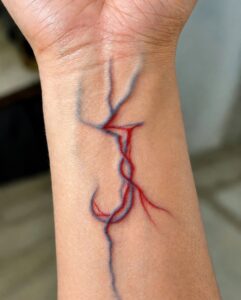
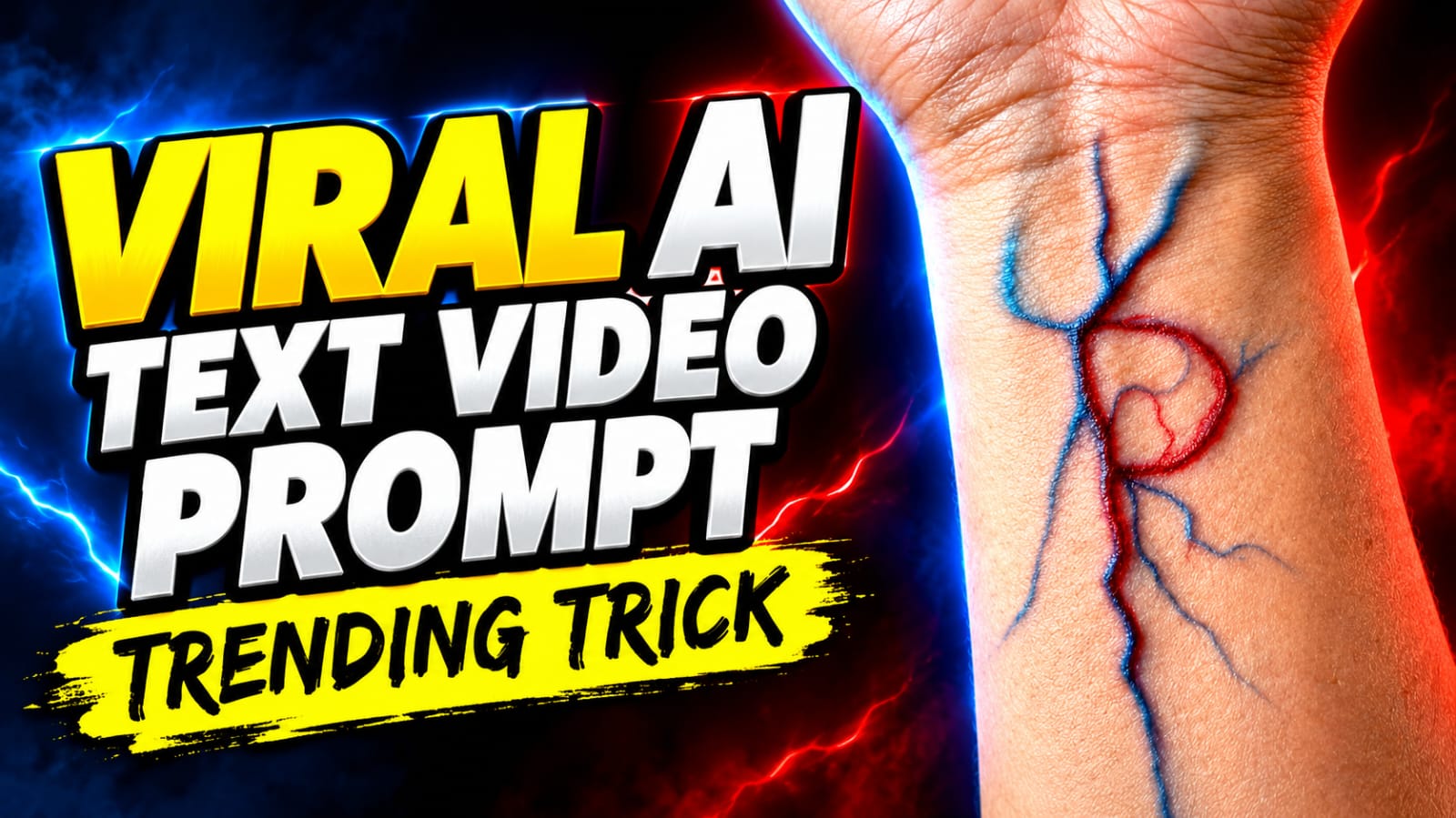
AI Video Generation Prompt (Text-to-Video / Image-to-Video) > Prompt: > Close-up cinematic vertical 9:16 shot of a male forearm with a clenched fist, wearing a black strap wristwatch. Glowing neon-pink bioluminescent veins spread and branch out across the skin and inner wrist like electric lightning pulses. Luminous sparkling particles and multiple glowing golden-white capital letters "M" float upward along the flowing veins. Realistic subsurface scattering, high-contrast neon glow, subtle handheld camera movement, 4K resolution, photorealistic visual effects. > Image Prompt (Midjourney / Flux – For Starting Frame) > Prompt: > Extreme close-up POV of a human forearm and clenched fist against a dark textured background, wearing a minimalist black watch. Intricate glowing pink and magenta veins branching beneath the skin with electric energy, small glowing letter "M" glyphs and glowing dust motes floating along the vein trails, dramatic rim lighting, hyper-realistic, 8k, cinematic lighting –ar 9:16 –v 6.1 > How to Recreate This in Video Editing (Alight Motion / CapCut / After Effects) If you are editing live footage rather than generating fully from AI: * Base Layer: Film your forearm with a clenched fist against a plain background (keep your hand steady). * Vein Effect (Overlay / Mask): * Use a green-screen overlay or stock asset of "glowing electric vein / lightning branch effect". * Blend mode set to Screen or Linear Dodge (Add). * Apply a Color Tint / Hue adjustment to turn it magenta/neon pink. * Mask the area where the watch strap covers the wrist so the veins appear underneath. * Floating "M" Typography: * Add text layer with the letter M, apply an outer glow / drop shadow (warm white/gold). * Keyframe the position moving upward along the vein path with slight scale-down or fade-out. * Particles: Add a subtle sparkle / bokeh dust overlay on top with Screen blend mode.
Direct AI output chahe kitna bhi accha kyu na ho, ek professional touch video ko cinema-grade level par le jata hai. Ek professional video editor ka real hack yehi hota hai ki wo AI-generated clip ko as raw footage treat karta hai.
- VN Editor Mein Post-Processing: Flow AI se video download karne ke baad use VN Video Editor mein import karein. Clip par halki si Curves adjustment karke shadows ko deepen karein aur highlights ko roll-off karein.
- Add Organic Film Grain: Digital AI videos aksar overly clean hoti hain. VN Editor ke effects panel se 10% se 15% opacity par subtle Film Grain overlay karein. Yeh grain AI ke digital pixels ko visually blend karke celluloid camera reel ka look de deta hai.
- Ambient Audio Syncing: Silent AI video kabhi real nahi lagti. Shot ke background ke hisab se footstep sounds, outdoor breeze, fabric rustle aur subtle room tone audio track mein mix karein. Realistic sound effects human visual perception ko fool kar dete hain ki shot 100% real shoot kiya gaya hai.
Conclusion
Flow AI jaise tools ke sath realistic human videos create karna prompts ki visual precision aur technical understanding par depend karta hai. Jab aap camera optics, natural facial textures aur dynamic lighting ko ek balance ke sath prompt mein guide karte hain, toh AI ek machine ki tarah nahi balki aapke personal cinema cinematographer ki tarah behave karta hai. Regular practice karein, alag-alag focal lengths aur lighting moods test karein, aur continuous experimentation se apne storytelling content ko ek naye visual standard par le jayein.