About the Author: Main hoon MD Maqsood, ek professional video editor jise visual storytelling aur post-production industry mein 7 saal se zyada ka practical experience hai. Apne YouTube channel m4editorofficial (13.6K+ subscribers) aur Instagram community m4_editor_official (145K+ family) ke through main everyday creators ko real-world visual techniques aur practical editing guidance provide karta hoon. Mera mission hamesha se ye raha hai ki complex digital tools aur modern workflows ko itna simple banaya jaye taaki har beginner confidence ke sath high-impact content create kar sake.
Flow AI Action Video Prompt: Complete Masterclass for Cinematic Motion & Realistic Physics M4 141
Visual content creation ka landscape bohot ਤੇਜ਼ी se evolve ho raha hai, aur static AI visuals ka daur ab dynamic video production mein badal chuka hai. Aaj ke time par audience ko attract karne ke liye high-energy visuals, seamless motion dynamics aur realistic physical movements ki zaroorat hoti hai. Yahi par sabse bada role play karta hai ek accurate aur well-structured Flow AI action video prompt.
Jab hum AI video models ke sath high-speed stunts, dynamic car chases, martial arts choreography, ya cinematic camera movements create karte hain, toh mostly beginners ke saamne common issues aate hain: unnatural morphing, slow-motion robotic glitches, ya warped anatomy. Is in-depth guide mein hum step-by-step explore karenge ki kaise aap ek production-ready Flow AI action video prompt craft kar sakte hain jo visual coherence aur natural physics deliver kare bina kisi expensive render engine ke.
Flow AI Action Video Prompt Architecture: Core Structural Framework
Ek high-octane action scene generate karne ke liye AI ko generic description nahi, balki technical cinematography cues chahiye hote hain. Jab tak prompt mein subject trajectory, lens physics aur velocity parameters define nahi honge, AI scene ko smoothly render nahi kar payega.
Ek solid prompt syntax follow karna behad zaroori hota hai:
- Subject Definition: Main character ka identity, costume textures, aur base position.
- Core Action Verb: Specific movement jaise sprint, vault, drift, parry, ya barrel roll.
- Camera Movement Vector: Dolly zoom, tracking shot, low-angle whip pan, ya FPV drone trajectory.
- Lighting & Atmosphere: Volumetric smoke, tungsten highlights, lens flare, ya neon reflections.
- Temporal Velocity: Motion blur intensity, shutter angle, frame timing, aur realistic gravity physics.
Jab aap in elements ko structured format mein merge karte hain, tab AI tool ek coherent, jitter-free visual clip produce karta hai.
Cinematic Camera Movement Controls Action Visuals Ke Liye
Action sequences mein camera movement hi poore scene ki energy define karta hai. Agar camera static rahega, toh high-action choreography bhi flat lagegi.
Dynamic Tracking Shots Aur Whip Pans
Dynamic tracking shot camera ko continuous motion mein rakhta hai jab subject horizontally ya vertically travel kar raha ho.
- Prompt Implementation: Hamesha specific cinematic terms specify karein jaise “dynamic side tracking shot at ground level” ya “fast-paced over-the-shoulder follow shot”.
- Beginner Tip: Simple words jaise “camera moving” likhne ke bajaye cinematography phrases use karein jaise “orbital camera rotation tracking the high kick”. Isse model ko camera orbit ka clear path samajh aata hai.
FPV Drone Trajectory Aur Crash Zooms
FPV drone views action scenes mein extreme vertigo aur immersion create karte hain, jo sports clips ya parkour sequences ke liye perfect rehte hain.
- Prompt Implementation: Prompt mein clearly specify karein: “high-velocity FPV drone dive following the motocross jump, hyper-realistic motion blur, sharp foreground detail”.
- Beginner Tip: Crash zoom create karne ke liye prompt ke end mein “instant optical crash zoom focusing on the character’s reaction” term integrate karein taaki sudden kinetic shift generate ho sake.
Physics Engine Realism: Inertia, Gravity Aur Kinetic Impact
AI video generators aksar physical laws tod dete hain—characters hawa mein float karne lagte hain ya impact force missing lagti hai. Natural physics maintain karna action visuals ka core rule hai.
Kinetic Weight Distribution Aur Secondary Motion
Jab koi character jump karta hai ya land hota hai, toh uski body ke secondary assets (jaise clothes, hair, tactical gear) independently move karne chahiye.
- Prompt Implementation: Prompt mein secondary dynamics highlight karein: “heavy tactical jacket fluttering against the high-speed wind, realistic gravity impact on landing with concrete debris dispersing radially”.
- Beginner Tip: Prompt mein hamesha surface interaction specify karein (e.g., wet asphalt, loose gravel, puddles). Surface interaction AI ko collision physics render karne mein directly help karta hai.
Fluid & Environmental Collisions
Action scenes tab authentic lagte hain jab character environment se interact kare. Raindrops, smoke dispersion, aur sparks scene ki authenticity ko multi-fold amplify kar dete hain.
- Prompt Implementation: “sparks bursting outward upon metal collision, volumetric tyre smoke rolling back during a hard drift on wet asphalt”.
- Beginner Tip: Words jaise “hydroplaning water spray” ya “air displacement ripple” prompt mein include karein taaki clip mein dynamic atmosphere add ho sake.
Ready-to-Use Flow AI Action Video Prompt Templates
Yahan practical prompts diye gaye hain jinhe aap direct apne AI video generation workspace mein test aur adapt kar sakte hain:
1. Cyberpunk Motorcycle High-Speed Chase
A high-velocity tracking shot behind an aerodynamic matte-black motorcycle drifting through neon-lit wet city streets at night. Cinematic low-angle camera, brilliant cyan and magenta neon reflections on wet asphalt, realistic water spray from rear tyres. High kinetic motion blur, anamorphic lens flare, sharp 8k photorealistic texture, cinematic shutter angle of 180 degrees.
2. Rooftop Parkour Vault Sequence
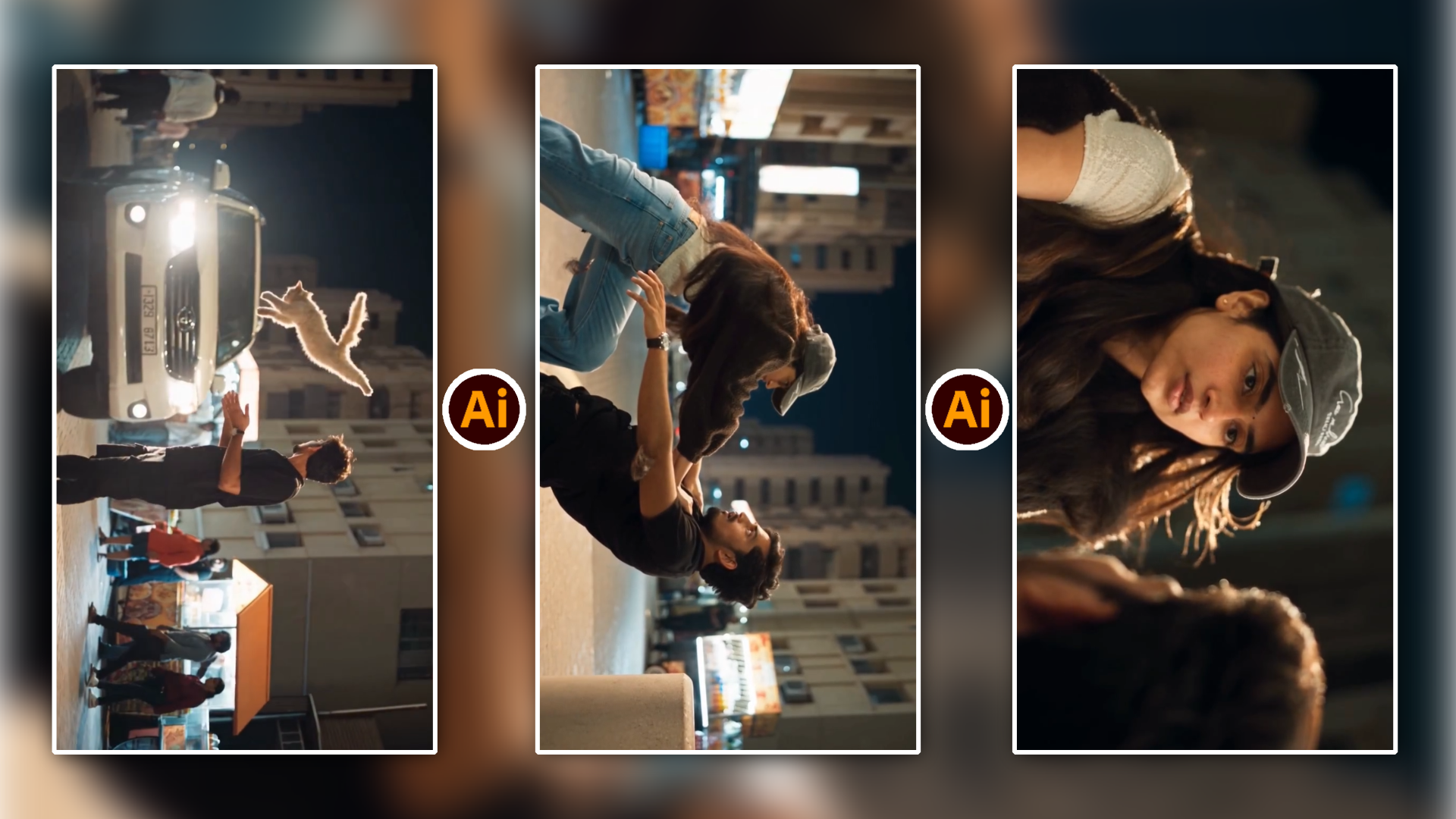
Dynamic side-profile action shot of a female athlete executing a full-extension kong vault over a concrete rooftop ledge. Natural daytime golden hour lighting, fast-forward camera momentum tracking alongside the subject. Dust particles rising on foot landing, athletic wardrobe flapping realistically in mid-air, seamless physical weight distribution, hyper-detailed motion rendering.
3. Martial Arts Combat Parry & Counter
Close-up dynamic fight choreography inside a dim warehouse with dust motes illuminated by industrial shaft lighting. Rapid hand-to-hand combat sequence, sharp block followed by a spinning back kick, whip-pan transition following the arc of the kick. Intense physical kinetic impact, micro-sweat droplets dispersing in slow-motion, realistic muscle tension, pristine optical clarity.
Multi-Shot Consistency: Character and Lighting Continuity
Ek bada challenge action scenes ke multiple cuts render karte waqt character face, wardrobe aur colour tone match karna hota hai.
Sequence Stage
Prompt Focus Area
Establishing Shot
Wide focal length, spatial geography, environment boundaries
Mid-Action Climax
Medium shot, velocity speed, contact physics, secondary motion
Reaction / Impact Cut
Close-up macro lens, sweat detail, facial strain, dust elements
Consistency maintain karne ke liye hamesha apne custom seed numbers lock karein aur prompt ke starting tokens (character description aur lighting style) har subsequent shot mein identical rakhein.
Post-Production Workflow: Upscaling Aur Interpolation
Raw AI generated clips aksar 24fps par base level render hoti hain. Inhe professional visual standard tak le jane ke liye proper timeline workflow use karna zaroori hai.
- Optical Flow Frame Interpolation: Apne video editing software (jaise Premiere Pro, DaVinci Resolve, ya CapCut) mein Optical Flow enable karein taaki AI-generated 24fps frames smooth 60fps slow-motion action shots mein transform ho sakein.
- Colour Grade Normalisation: AI clips ka contrast level uneven ho sakta hai. Ek unified Rec.709 LUT ya custom curve grading apply karein taaki alag-alag prompts se generate hue shots ek single cinematic scene ka hissa lagein.
- Custom Foley Sound Design: High-intensity action scene 70% audio par depend karta hai. AI video par accurate punch thuds, whoosh sounds, tire squeals aur bass drops manually sync karein taaki visual impact realistic feel ho.
Bonus Tip: Shutter Angle Trick For Hyper-Realistic Motion Blur
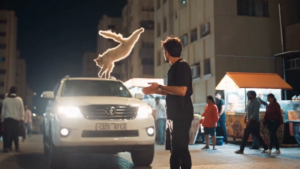
Video Prompt 👇

AI tools aksar action scenes mein artificial smearing create kar dete hain jo blurry aur cheap lagta hai. Professional camera look achieve karne ke liye apne prompt ke technical parameters mein “180-degree shutter angle” ya “cinematic motion blur matching 1/48th shutter speed” specify karein.
Yeh specific cinematography instruction AI ko force karta hai ki wo real mechanical camera sensor ki tarah natural motion blur generate kare, jisse character ki body ke edges fast movement ke dauran sharp rehte hain jabki background seamlessly blur hota hai. Result directly high-end Hollywood action movie jaisa feel hota hai.
Conclusion
Action video prompts par command banana technical cinematography aur visual imagination ka perfect balance hai. Jab aap camera angles, physical weight dynamics aur lighting physics ko systematically prompt structure mein blend karna seekh jate hain, toh AI models aapke creative vision ko exactly frame-by-frame match karte hain. In concepts ko practical sequences par test karein, alag-alag lens parameters ke sath experiment karein, aur continuous practice ke zariye apne visual storytelling workflow ko elevate karein.