Video Genrat👇
Hey, text and video creators! Agar aap social media par scroll karte hain, toh hum zaroor kahin na kahin mile honge. Main ek professional video editor hoon aur mujhe is fast-paced editing industry mein 7+ years se zyada ka experience ho chuka hai. Agar aap digital trends ko follow karte hain, toh aapne mera YouTube channel “m4editorofficial” (jispar 13.6K subscribers hain) aur mera Instagram page “m4_editor_official” (jahan 145K followers ki family hai) zaroor dekha hoga. Wahan main daily dynamic workflow share karta hoon. Is website ke jariye mera aim bilkul saaf hai—jo premium tools aur concepts log courses mein bechte hain, wo main aapko bina ek bhi paisa liye, ekdam zero level se yahan free mein sikha sakoon taaki har beginner pro ban sake.
Viral Motu Patlu AI Auto Generator: Reels Aur Shorts Ko Viral Banane Ka Ultimate Guide M4 79
Aaj ke daur mein jab aap Instagram Reels, YouTube Shorts, ya TikTok par scroll karte hain, toh aapne ek cheez notice ki hogi. Lagbhag har ek viral video ke screen par bade, colourful aur dynamic text pop-up hote hain jo speaker ke bolne ke sath-sath change hote hain. Research kehti hai ki 80% se zyada log social media par videos ko mute karke dekhte hain, chahe wo office mein hon, travelling kar rahe hon, ya kisi public place par hon. Aise mein agar aapki video par sub-titles ya captions nahi hain, toh user bina ek second gawaye aapki video ko swipe-up kar dega.
Pehle ke time par har ek shabd ko sunkar manual type karna padta tha, jismein ghanton ka samay barbad hota hai. Lekin ab AI Auto Caption Generator ne poori game hi badal di hai. Yeh powerful Artificial Intelligence tools aapki aawaz ko sirf kuch seconds mein analyse karte hain aur perfectly timed text screen par generate kar dete hain. Agar aap ek absolute beginner hain aur apni low-engagement videos ko high-converting viral content mein badalna chahte hain, toh yeh complete guide ekdam basic language mein aapke liye hai.
1. Voice-to-Text Precision: AI Captions Ka Basic Architecture
Kisi bhi auto-captioning tool ka sabse bada base hota hai uska Speech-to-Text (STT) engine. Yeh engine aapki audio file ki har ek frequency aur accent ko trace karta hai.
Language Aur Accent Selection Ka Sahi Tarika
Jab bhi aap kisi AI Auto Caption Generator mein apni video file ya audio raw asset upload karte hain, toh tool sabse pehle aapko language select karne ka option deta hai. Indian creators ke liye sabse bada challenge hota hai Hinglish (Hindi words spoken along with English). Humesha software setting mein jaakar language ko “English (India)” ya “Hindi” par manually toggle karein. Isse AI aapke local accent aur native words ko bohot accuracy ke sath catch karega aur spelling mistakes bohot kam ho jayengi.
Clear Audio Input Ka Rule
AI jitna bhi advanced ho, agar aapki video ke background mein bohot shor (noise) hai, toh text galat generate hoga. Isliye jab bhi recording karein, microphone ko apne paas rakhein aur clear voiceover dein. Clean input dene se AI tool aapko 99% accurate transcription output nikal kar deta hai, jisse baad mein manual correction ka bacha hua samay aap doosri video edit karne mein laga sakte hain.
2. Text Breakdowns Aur Line Settings: Readability Kaise Badhayein
Aksar beginners AI tool ka use karte waqt ek bohot badi galti karte hain—wo screen par poora ka poora bada sentence ek hi baar mein print kar dete hain. Isse video kafi messy lagne lagti hai aur user ka dhyan distracted ho jata hai.
The 3-Word Rule Formula
Ek acchi dynamic short-form video ka niyam hai ki screen par ek baar mein 2 ya 3 words se zyada text nahi dikhna chahiye. Jab kam akshar screen par aate hain, toh viewer unhe bohot tezi se read karta hai aur uska focus video par bana rehta hai. AI generator ke setting panel mein jaakar humesha “Max words per line” ke option ko 1 ya 2 par set karein.
Visual Breathing Space (Safe Zone Layout)
Captions ko kabhi bhi screen ke ekdam bottom (niche) ya ekdam top (upar) mat rakhein. Niche rakhne se Instagram ke interface buttons (like, comment, share options) aur user names ke peeche text chhup jata hai. Humesha text alignment ko centre mein ya centre se thoda sa niche adjust karein, jise video editing ki language mein Safe Zone Layout kaha jata hai.
3. Kinetic Styling: Fonts Aur Colour Physics Ka Sahi Alignment
Text ka look aur uski designing hi video ke premium aesthetic value ko design karti hai. Agar aap boring default fonts ka use karenge, toh video bilkul normal lagegi.
MinimalistOrr High-Impact Fonts Choice
Aise fonts ka use karein jo dur se bhi ekdam saaf padhe ja sakein. Bebas Neue, Montserrat (Black), Komika Axis, The Bold Font, aur Horizon jaise fonts short videos ke liye industry standard ban chuke hain. Inke edges sharp hote hain aur yeh screens par bohot premium response dete hain.
Two-Tone Colour Theory
Apne poore sentence ko ek single colour (jaise flat white) mein mat chhodiye. Humesha primary colour ko Soft White ya Neon Yellow par rakhein, aur jo aapke sentence ke sabse important key phrases ya action words hain, unhe Bright Orange, Red, ya Light Green se highlight karein. Jab words bolne ke sath-sath colour change karte hain, toh ek visual rhythm banti hai jo viewer ko video se bandhe rakhti hai.
4. Animation Presets Aur Emojis Integration: Video Ko Engaging Banana
Sirf text ka screen par aana kaafi nahi hai; usmein ek natural motion hona zaroorat hai jo voice ke modulation ke sath bilkul blend kare.
Pop-Up Aur Scale-In Animations
AI captions tools ke andar aapko alag-alag animation styles milti hain. Short format videos ke liye sabse best hota hai Word-by-Word Pop ya Scale-In Effect. Jaise hi aapke hothon se shabd nikalta hai, text halka sa bada hokar screen par bounce karta hai. Yeh sudden movement human brain ko screen par focus rakhne ke liye trigger karta hai.
Smart Auto-Emoji Placement
Aajkal ke advance AI Auto Caption Generator tools video ke context ko samajh kar automatically sahi jagah par emoji place kar dete hain. Udaharan ke liye, agar aapne video mein “Money” bola, toh AI khud ba khud text ke sath dollar ($\$$) ya paise ka emoji ($₹$) add kar dega. Agar aapka tool automatic emoji nahi de raha hai, toh aap manual editor mein jaakar har key line par ek relatable emoji zaroorat add karein. Emojis visual connection ko 2x boost kar dete hain.
5. Mobile vs Desktop: Sahi AI Captioning Tools Ka Comparison Matrix
Aapke device aur skill level ke hisab se kaun sa tool kab optimise result dega, use is direct, comprehensive breakdown table se samjhein:
Tool/App Name
Core Platform
Blink App
Android / iOS
CapCut AI Captions
Mobile / PC
Submagic AI
Web Browser
Adobe Premiere Pro
Windows / macOS
6. Premium Sound FX Layers: Text Pops Ko Audio Output Dena
Yeh ek aisi advanced technique hai jo bade-bade seasoned editors use karte hain par kisi ko jaldi pata nahi chalti. Text jitna bhi sundar ho, jab tak use ek dynamic audio feedback nahi milega, uska retention half rahega.
Sound Effects Syncing
Jahan par bhi aapka AI tool ek naya word screen par pop-up karta hai ya koi naya text highlight group shuru hota hai, wahan timeline par ek chota sound effect (SFX) layer place karein. Swoosh, Camera Shutter, Pop Sound, ya Bell Ding jaise effects ka volume kafi dheema (around -18dB) karke text ke sath blend karein.
जब visual motion aur audio pop ek sath trigger hote hain, toh content ki delivery super professional ho jati hai. Yeh chote sound layers viewer ke sensory nerves ko active rakhte hain, jisse aapka retention rate high ho jata hai aur algorithm aapki video ko organic boost deta hai.
Bonus Tip: The Dual Layer Blurred Glow Text Hack
Agar aapki video ka background bohot bright ya white hai, toh light colours ke captions dikhna band ho jaate hain. Is technical problem ko bypass karne ke liye ek m4editor special workflow hack seekhein.
M4 Editor Secret Trick:
- AI se caption generate karne ke baad, pure text track layer ko duplicate karke ek ke upar ek double layer bana lein.
- Bottom (niche waali) text layer ke properties panel mein jayein aur usmein Gaussian Blur (around 15%) apply kar dein, ya phir uski graphic drop-shadow shadow opacity badha dein.
- Bottom layer ka colour completely Pure Black ya Dark Purple set kar dein aur scale ko original text se 2% bada kar dein.
- Ab top main layer ko neon white ya green rang dein.
Is layout se text ke peeche ek natural, beautiful, soft dark glow ban jayega, jisse video chahe kitni bhi over-exposed ya bright ho, aapka text hamesha crystal clear highlight rahega aur ek premium neon look deliver karega.
Prompt
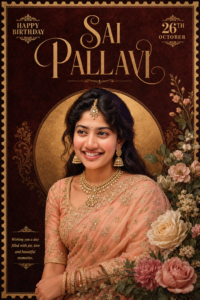
..Create an elegant luxury birthday poster in a premium vintage editorial style with a deep maroon and golden color palette. The background features a rich textured maroon canvas with a decorative vintage postage-stamp border. Place a large golden circular halo behind the subject for a royal look. Use a high-quality portrait of a beautiful Indian woman wearing a peach embroidered saree, traditional gold jewelry, earrings, necklace, bangles, and a maang tikka, smiling naturally while looking slightly to the side. Add realistic floral arrangements in beige, cream, blush pink, and green leaves on the right side. Use soft cinematic lighting, warm color grading, ultra-detailed textures, luxury magazine aesthetic, elegant composition, and premium typography. At the top center, write the name “SAI PALLAVI” in large elegant calligraphy. Top-left: “HAPPY BIRTHDAY” in vintage serif font. Top-right: “26TH OCTOBER” in bold classic typography. Bottom-left, add the quote: “Wishing you a day filled with joy, love and beautiful memories.” Ultra-realistic, 8K resolution, HDR, premium print quality, symmetrical layout, high-end graphic design, luxury invitation card style, soft shadows, crisp details, elegant floral artwork, sophisticated vintage aesthetic, no watermark, no logo
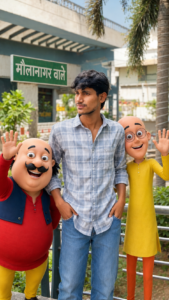
Photo Prompt 👇
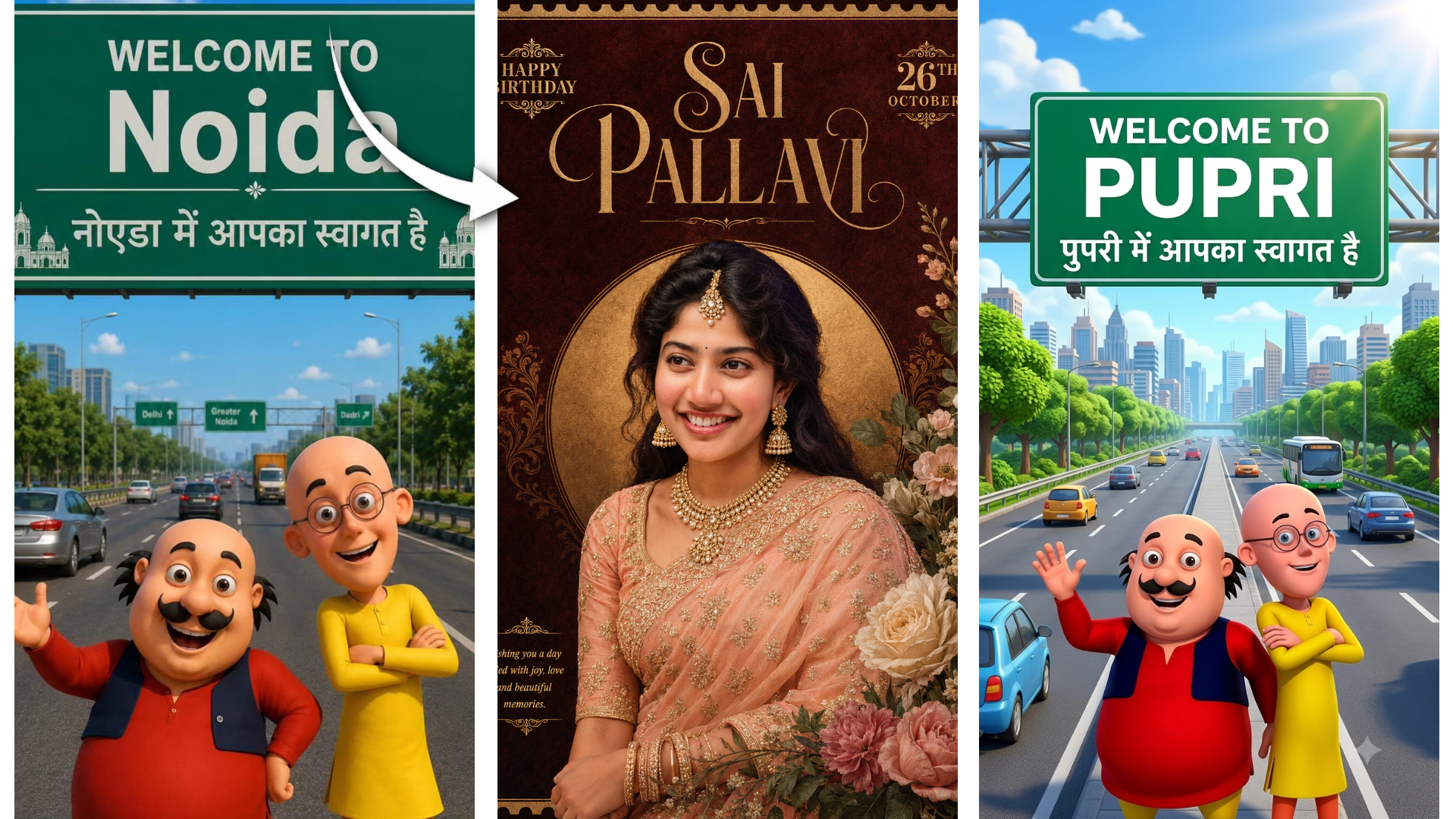
AN ULTRA-HIGH-RESOLUTION, 4K CINEMATIC PICTURE THAT RECREATES THE RURAL INDIAN VILLAGE SCENE SHOWN IN IMAGE_0.PNG. THE FACE OF THE BOY STANDING IN THE CENTER IS NOW AN EXACT LIKENESS OF THE SPECIFIC FACE PROVIDED. HIS OUTFIT REMAINS THE SAME (BLACK AND WHITE STRIPED SHIRT AND BLUE JEANS), BUT HIS POSE IS MORE CONFIDENT. TO HIS LEFT IS AN ACCURATE 3D MODEL OF MOTU (IN A RED SHIRT, BLUE JACKET, AND YELLOW PANTS, WITH A FRIENDLY WAVE), AND TO HIS RIGHT IS AN ACCURATE 3D MODEL OF PATLU (IN A YELLOW KURTA AND ORANGE PYJAMAS, WITH GLASSES AND WAVING HAND). THE BACKGROUND HOUSE, TREES, LIGHT POLE, AND DIRT ROAD ARE EXACTLY AS PER IMAGE_0.PNG. THE GREEN BANNER (SIGN) IS IN THE SAME PLACE ON THE WALL, BUT IT SAYS’ मौलानागर वाले’, WITH LIGHT AND SHADOW MATCHING THE NEW, CLEAN LOOK OF THE BANNER. THE LIGHTING IS BRIGHT AND NATURAL SUNLIGHT, JUST AS IN IMAGE_0.PNG, BUT NOW WITH ADVANCED 4K DETAIL, INCLUDING TEXTURES (LIKE CLOTH WEAVE, SKIN PORES, AND CHARACTER PLASTIC), AND SHARP FOCAL SHARPNESS. THE OVERALL LAYOUT AND COMPOSITION OF THE SHOT REMAIN, BUT WITH ENHANCED DEPTH AND REALISM.” photo Size 9:16 00
Video Prompt
हेलो दोस्तो आज हम फुरफुरी नगर से मोटू पतलू को लेते अपने गाँव मौलानगर में लेकर आया हूं जिसके भी गाँव आना है कमेंट जरुर करें
Conclusion
Ek engaging aur high-retention video design karna koi mushkil technical task nahi hai, balki yeh sahi automation tools aur smart creative choices ka perfectly balanced combination hai. Is comprehensive AI Auto Caption Generator manual ke sare step-by-step styling algorithms, word caps, aur colour theories ko jab aap apne daily content workflow mein implement karenge, toh aapki videos par clear watch-time growth dekhne ko milegi. Kisi expensive editor ko pay karne ki zaroorat nahi hai, jo tools market mein free available hain unke settings ko deeply customise kijiye aur lagatar naye trends ko observe karte rahiye. Aapki consistent operational practice hi aapko zero se uthakar ek professional data-driven pro digital creator banayegi! Keep designing, keep editing!