Thalapathi AI Video Prompt 2026: Photo Se Cinematic Motion Video Banane Ka Complete Guide M4 145
Social media platforms par aaj kal South Indian cinema style high-voltage action sequences, intense slow-motion walk aur dynamic camera movements wali reels ka craze sabse zyada chal raha hai. Pehle aisi cinematic quality deliver karne ke liye costly cameras, heavy VFX workstations aur complex 3D tracking software ki need hoti thi.
Lekin modern artificial intelligence framework ne visual editing ki duniya ko puri tarah accessible bana diya hai. Ab ek smart system ke zariye koi bhi creator normal photos ko professional movie-level visual clips me convert kar sakta hai. Aaj hum detail me cover karenge ki kaise aap Thalapathi AI video prompt 2026 ka use karke high-retention cinematic video clips direct apne mobile phone se generate aur export kar sakte hain.
AI Motion-Controlled Video Generation Kya Hai Aur Ye Kaise Work Karta Hai?
Pehle ke generative AI models sirf single static photos par zoom ya basic pan effect add karte the, jisme real cinematic motion aur physics gayab hoti thi. Aaj ke modern platforms motion-controlled framework par operate karte hain. Ye do alag-alag inputs ko combine karta hai:
- Character Reference (Source Image): Is input se AI aapke character ki face identity, facial structure, skin tone, costume details aur key features ko lock karta hai.
- Motion Reference (Source Video): Is clip se AI camera ke dynamic angles, character ke chalne ka swag, hand movements aur body speed ko mathematically analyse karta hai.
Jab dono inputs ek structured system me process hote hain, to AI video reference ki motion trajectory aur physics ko aapki photo ke character par seamlessly align kar deta hai. Iska sabse bada advantage ye hai ki bina kisi face distortion ya identity twist ke professional output milta hai.
Trending Thalapathi AI Video Prompt 2026
Cinematic consistency aur realistic motion output pane ke liye text prompt me precise instructions ka hona bohot zaroori hai. Ye master prompt design kiya gaya hai taaki algorithm visual features ko preserve rakhte hue perfect movement replicate kare:
Generate a motion-controlled video using the uploaded image as the character reference and the uploaded video as the style and motion reference. Preserve the character’s exact identity, appearance, and key visual details while accurately replicating the reference video’s motion, style, camera movement, and overall visual dynamics.
Structured Prompt Ke Key Functions:
- Character Identity Lock: Ye parameter character ke face coordinates ko render processing ke dauran distort hone se securely protect karta hai.
- Accurate Motion Sync: Reference footage ki har ek body movement aur walking dynamics aapki image ke sath precise sync me shift ho jati hai.
- Dynamic Camera Dynamics: Handheld movement, slow-motion pan aur cinematic push-in shot exact natural movie lens ki tarah simulate hote hain.
Step-by-Step Practical Workflow: Image Se Cinematic Video Kaise Banayein
Is visual creation process ko seamlessly execute karne ke liye niche diye gaye steps ko order-wise follow karein:
Step 1: Official Website Se Prompt Copy Karein
Sabse pehle hamari official website m4editor.com par visit karein. Wahan trending prompts section me jayein aur upar diya gaya standard prompt direct copy kar lein taaki manually text type na karna pade.
Step 2: Google AI Flow Platform Open Karein
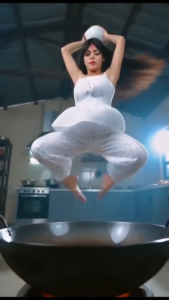
Ai Video Prompt 👇
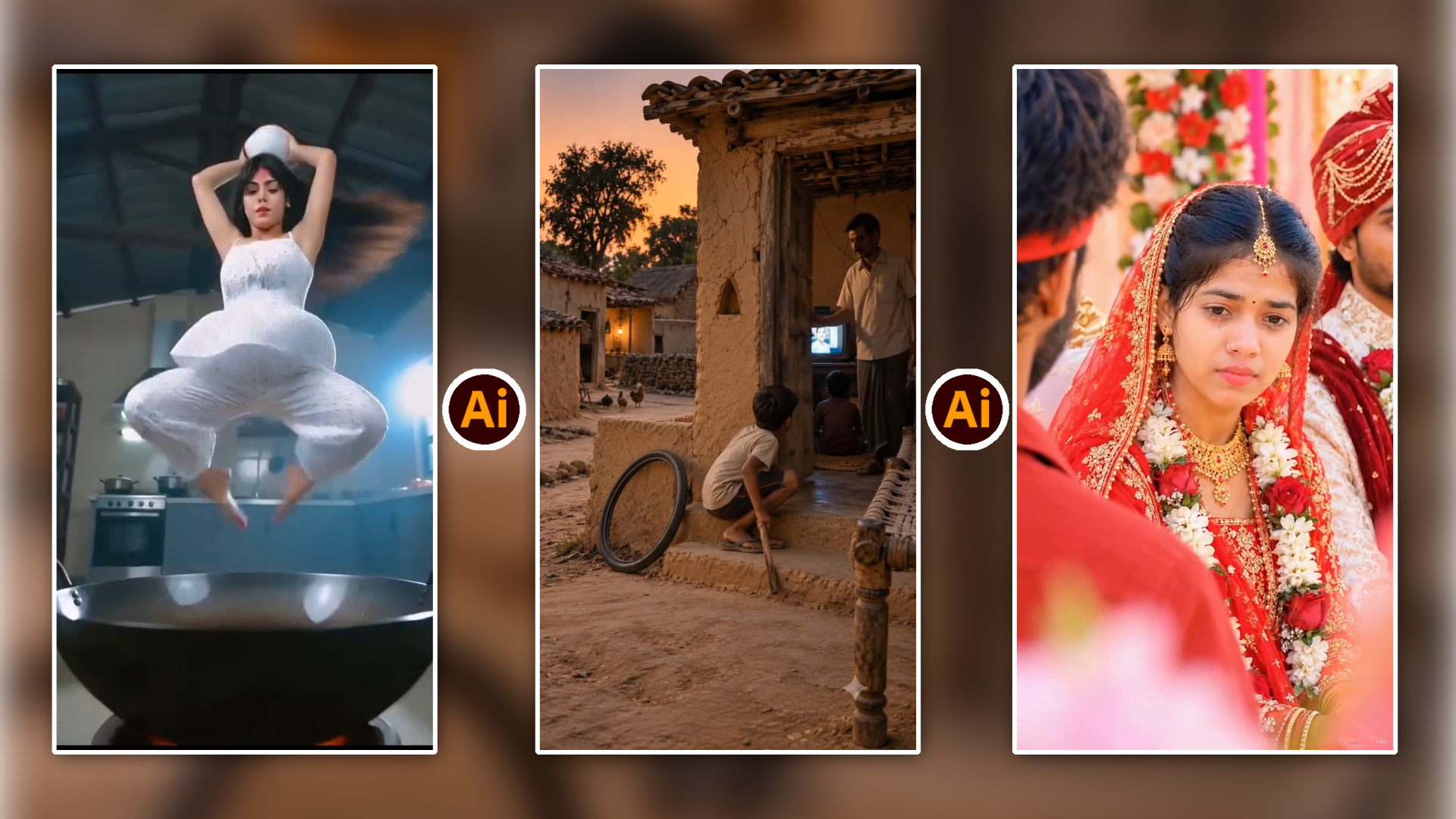
Here is a breakdown of the action-packed cooking video sequence:
Video Overview
This dynamic and acrobatic video features a chef preparing fried rice with high energy, dramatic poses, and martial-arts-style flair.
Timeline Breakdown
* 00:00 – 00:02: The video opens with the chef pouring cooking oil into a wok, followed by a quick acrobatic flip and a dramatic close-up of an egg being cracked.
* 00:03 – 00:06: Rice is added to the wok. The chef turns around energetically and introduces a bottle of sauce into the mix with theatrical motions.
* 00:07 – 00:09: Fresh vegetables (such as carrots, corn, and green onions) are tossed into the dish. After striking a powerful pose next to the wok, the chef masterfully flips the pan, sending the entire batch of fried rice spinning mid-air.
* 00:10 – 00:11: The video concludes with a close-up of the perfectly shaped fried rice dish, followed by the chef smiling proudly beside the finished meal.
Would you like to turn this concept into an AI video generation prompt, or are you looking to expand this into a recipe script?
Apne mobile ya desktop browser me Google AI Flow ka official portal open karein. Apne registered Google account se simple login complete karein taaki high-performance rendering environment initialise ho sake.
Step 3: Source Assets Upload Karein
- Character Image: Upload section me apni ek well-lit, high-resolution portrait ya clear full-body photo upload karein jisme chehre ke natural features bilkul sharp hon.
- Reference Video: Ek 5 se 10 second ki dynamic clip upload karein jisme Thalapathi-style walking posture, dramatic entry ya desired camera movement clearly visible ho.
Step 4: Master Prompt Paste Karein
Website ke main text generation field me m4editor.com se copy kiya gaya prompt paste karein.
Step 5: Render Process Run Karein
Generate button tap karein. AI pipeline aapki image aur video reference ka frame-by-frame computational mapping create karegi. Processing complete hone ke baad system screen par generated video ka real-time preview show karega.
Best Video Export Settings: Direct Mobile Gallery Download
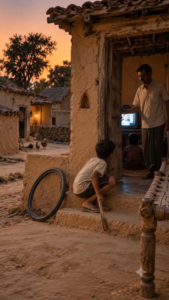
Ai Video Prompt 👇
Here is a summary of the sequence of events depicted in the video:
* 00:00 – 00:02: Two children sit outside a traditional mud-brick house watching a television, while an adult closes the wooden door.
* 00:03 – 00:04: A young boy stands up from the doorstep, grabbing a bicycle tire and a stick.
* 00:05 – 00:09: The boy walks down a dusty village pathway during sunset, rolling the bicycle tire along with the stick.

Final video rendering ke baad export parameters ko correct configure karna essential hai, warna social media platforms video compress karke uski quality drop kar dete hain:
Export Parameter
Recommended Configuration
Resolution
1080p (Full HD) ya 4K
Aspect Ratio
9:16 (Vertical Format)
Frame Rate (FPS)
30 FPS ya 60 FPS
Bitrate Mode
High / Constant Bitrate
Settings apply karne ke baad Export/Download button par tap karein. Video file sidhe aapke smartphone ki internal gallery me save ho jayegi.
Post-Production Enhancement: Video Ko Next-Level Kaise Banayein
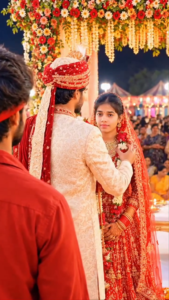
Ai Video Prompt👇
- This video captures a deeply emotional and dramatic moment set against the backdrop of a traditional Indian wedding ceremony.
- The Wedding Ceremony: A bride dressed in a traditional red bridal lehenga and floral garlands stands alongside the groom, who is wearing festive wedding attire.
- The Heartbroken Onlooker: Standing nearby is a young man wearing a red shirt and a red headband, watching the proceedings with a sorrowful expression and visible tears in his eyes.
- Shared Grief: Both the bride and the young man exchange emotional glances, portraying a poignant story of lost or unrequited love where she is marrying another man while her former partner watches in heartbreak.
- Musical Tone: The background features a melancholic song about separation and leaving, which heightens the dramatic and sorrowful atmosphere of the scene.
Direct raw AI render ko thoda polish karke aap apni video ko bilkul high-budget theatrical teaser jaisa look de sakte hain:
- Cinematic Colour Grading (Teal & Orange): Mobile editors (VN ya CapCut) ka use karke highlights me warm amber/gold tones aur shadows me light teal tones push karein. Yeh visual tone South Indian mass-action movies ka signature look hai.
- Sound Design & Foley Sync: AI clip me realism add karne ke liye heavy bass footstep impacts, cinematic sub-booms aur ambient whoosh effects layer karein. Right audio sync visual impact ko instantly double kar deta hai.
- 35mm Subtle Film Grain: Clip par lagbhag 2% se 4% natural film grain add karein. Yeh layer AI ki ultra-smooth plastic look ko organic movie-film texture me convert kar deti hai.
Conclusion
Thalapathi AI video prompt 2026 ka use karke high-impact visual sequences create karna ab kisi bhi beginner ke liye behad simple ho chuka hai. Bas m4editor.com se master prompt copy karein, Google AI flow platform par apni clear photo aur matching reference video upload karein, aur high-bitrate settings ke sath final video apni gallery me save karein. Consistent practice aur basic post-production audio design ke sath aap effortlessly viral-grade content establish kar sakte hain.