About the Author: Main hoon MD Maqsood, ek professional video editor aur visual storyteller jise digital post-production space mein 7+ saal ka extensive on-ground experience ho chuka hai. Apne digital platforms “m4editorofficial” (13.6K YouTube family) aur Instagram page “m4_editor_official” (145K+ passionate creators) ke through main everyday editing workflows, algorithm insights aur industry-standard practical guides share karta hoon. Mera main focus hamesha yahi rehta hai ki new creators bina kisi paid gatekeeping ke authentic techniques aur real production efficiency seekh sakein.
AI Se Instagram Posting Schedule Kaise Banaye: Data-Driven Complete Creator Blueprint M4 150
Instagram par har roz lakhon Reels, carousels aur single-image posts publish hoti hain, lekin algorithm unhi creators ko organically favor karta hai jinka posting cadence structured aur predictable hota hai. Aksar naye creators creative burnout ka shikaar ho jaate hain kyunki unka aadha waqt yeh sochte nikal jaata hai ki: “Aaj kya post karun?” ya “Kis time upload karne se reach spike karegi?”
Manually spreadsheet maintain karna, calendar dates fill karna aur engagement metrics calculate karna ek repetitive headache ban chuka hai. Yahan par Artificial Intelligence (AI) aapka personal growth strategist ban kar emerge hota hai. Agar aapko apne editing aur production workflow ko 10x fast banana hai, toh aapko yeh sikhna behad zaroori hai ki AI se Instagram posting schedule kaise banaye aur kaise raw analytical data ko ek practical, actionable calendar mein convert karein.
1. Apne Instagram Audience Data Ko AI Readability Ke Liye Extract Karna
AI tab tak generic response dega jab tak aap use real audience baseline data feed nahi karenge. Sabse pehla step hai apne Instagram account ke organic metrics ko compile karna taaki model aapke niche ke hisaab se customize ho sake.
Professional Dashboard Insights Ka Audit
Apne Instagram Professional Dashboard ko open karein aur last 30 se 90 days ka data scan karein:
- Most Active Times: Check karein ki aapke target followers kis time slot mein peak activity show kar rahe hain (e.g., 6:00 PM se 9:00 PM ya subah 8:00 AM).
- Audience Demographics: Primary age bracket (jaise 18–24 ya 25–34) aur top locations (cities/countries) note karein.
- Top Performing Content Formats: Dekhein ki aapke page par highest watch time Reels de rahi hain, multi-slide carousels saves la rahe hain, ya infographics share ho rahe hain.
Is basic performance snapshot ko text format mein note karein. Yeh data aapke AI scheduler ke liye fundamental foundation ka kaam karega.
2. Advanced AI Prompt Engineering Se Monthly Calendar Generate Karna
Kewal yeh bolne se ki “Generate an Instagram calendar” AI aapko robotic dates generate karke de dega jiska real reach se koi correlation nahi hoga. Aapko ek structured multi-variable prompt banana hoga.
Production-Ready Prompt Architecture
Aap ChatGPT, Claude ya Gemini mein is tarah ka prompt deploy kar sakte hain:
Prompt Framework:
“Act as an Instagram Growth Strategist. Mera niche [Video Editing Tutorials / Comedy Sketches / Lifestyle] hai. Meri target audience 18-28 saal ke creators hain jinki peak activity sham 7:30 PM par hoti hai. Mere liye 30-day ka Instagram content distribution schedule banao. Week mein 4 Reels (high-energy beat transitions & hook-based tutorials) aur 2 Value-packed Carousels include hone chahiye. Output table format mein do jisme: Date, Day, Content Pillar, Post Format, Suggested Hook/Idea, aur Optimal Posting Time clearly mentioned ho.”
Is prompt ke zariye AI aapko ek dynamic Content Pillar Matrix ready karke dega jisme entertainment, education, inspiration aur community-building ka healthy balance maintain rahega.
3. Dedicated AI Scheduling Tools Ka Automated Engine Set Up Karna
Calendar generate karne ke baad manual alarm lagakar post karna purana tareeqa hai. Industry-standard AI-powered social scheduling tools direct cloud execution provide karte hain.
Leading AI Platforms Jo Smarter Workflow Dete Hain
- Buffer AI Assistant: Yeh tool aapke past engagement velocity ko map karta hai aur calendar slots ko dynamically auto-adjust karta hai.
- Later (Best Time to Post AI): Later ka algorithmic heat-map bata deta hai ki specific din par kis micro-window mein post karne par immediate initial traction milega.
- Meta Business Suite: Yeh Meta ka official, direct free engine hai jahan aap AI se generated dates aur times ko paste karke poore maheene ke assets auto-pilot par queue kar sakte hain.
Tool Workflow Setup:
- Apne Instagram Creator Account ko Meta Business Suite ya preferred scheduler se link karein.
- AI-generated calendar se har post ki targeted date aur hour feed karein.
- Final render export clips ko upload karke unke respective tags set karein.
4. AI-Driven Smart Content Batching: Har Week 10x Production Speed
Content creation tab heavy lagta hai jab aap daily basis par shoot, edit aur publish karte hain. AI scheduling ka sabse bada benefit hai Predictive Batching.
3-Day Production Cycle Formula
- Day 1 (AI Strategy & Scripting): AI schedule se week ke 6 post concepts uthayein. AI se unke short 3-second visual hooks aur script bullet points instantly draft karwayein.
- Day 2 (Bulk Production / Shoots): Saare visual raw clips, B-rolls aur voiceovers ek sath continuous session mein record karein.
- Day 3 (Timeline Editing & Direct Staging): Final edits complete karein, presets apply karein, aur unhe calendar time-slots mein upload karke auto-publish par chhod dein.
Is system se aapka everyday stress zero ho jaata hai aur consistent high-quality output maintain rehta hai.
Content Distribution Framework (Ideal 7-Day Matrix)
AI calendar design karte waqt content monotony break karna zaroori hai. Niche di gayi structure ek organic weekly balance represent karti hai:
Day
Target Format
Content Objective
Monday
High-Paced Short Reel
Fast visual transition / Hook-heavy
Tuesday
5-Slide Carousel
In-depth breakdown / Step-by-step
Wednesday
Behind-the-Scenes Reel
Relatable creator reality / Bloopers
Thursday
Micro-Tutorial Reel
Single practical problem ka quick fix
Friday
Interactive Story Day
Polls, Q&A, Direct AI Quiz
Saturday
Showcase / Portfolio Reel
Best production quality visual
Sunday
Rest / Audience Review
Monitor live metrics & AI refinement
5. Live Analytics Feedback Loop: AI Schedule Ko Har 15 Din Me Fine-Tune Karna
Ek static calendar kabhi bhi permanent solution nahi ho sakta, kyunki platform algorithms seasonality aur user behavior ke sath shift hote hain.
Predictive Re-calibration Technique
Har do hafte mein apne published calendar ke real results ko verify karein:
- Jin posts ne expected initial reach ka double achieve kiya, unke posting time aur topic ko highlight karein.
- Under-performing slots ka record banayein.
- AI ko prompt karein: “Mera Wednesday 8 PM ka video underperform hua, jabki Saturday 11 AM carousel 3x viral gaya. Mere upcoming 15-day schedule ko is performance data ke basis par re-optimize karo.”
Yeh continuous loop aapke scheduling pipeline ko self-learning system mein convert kar deta hai.
Bonus Tip: AI Caption & Hook Synergy Se Engagement Multiply Karein

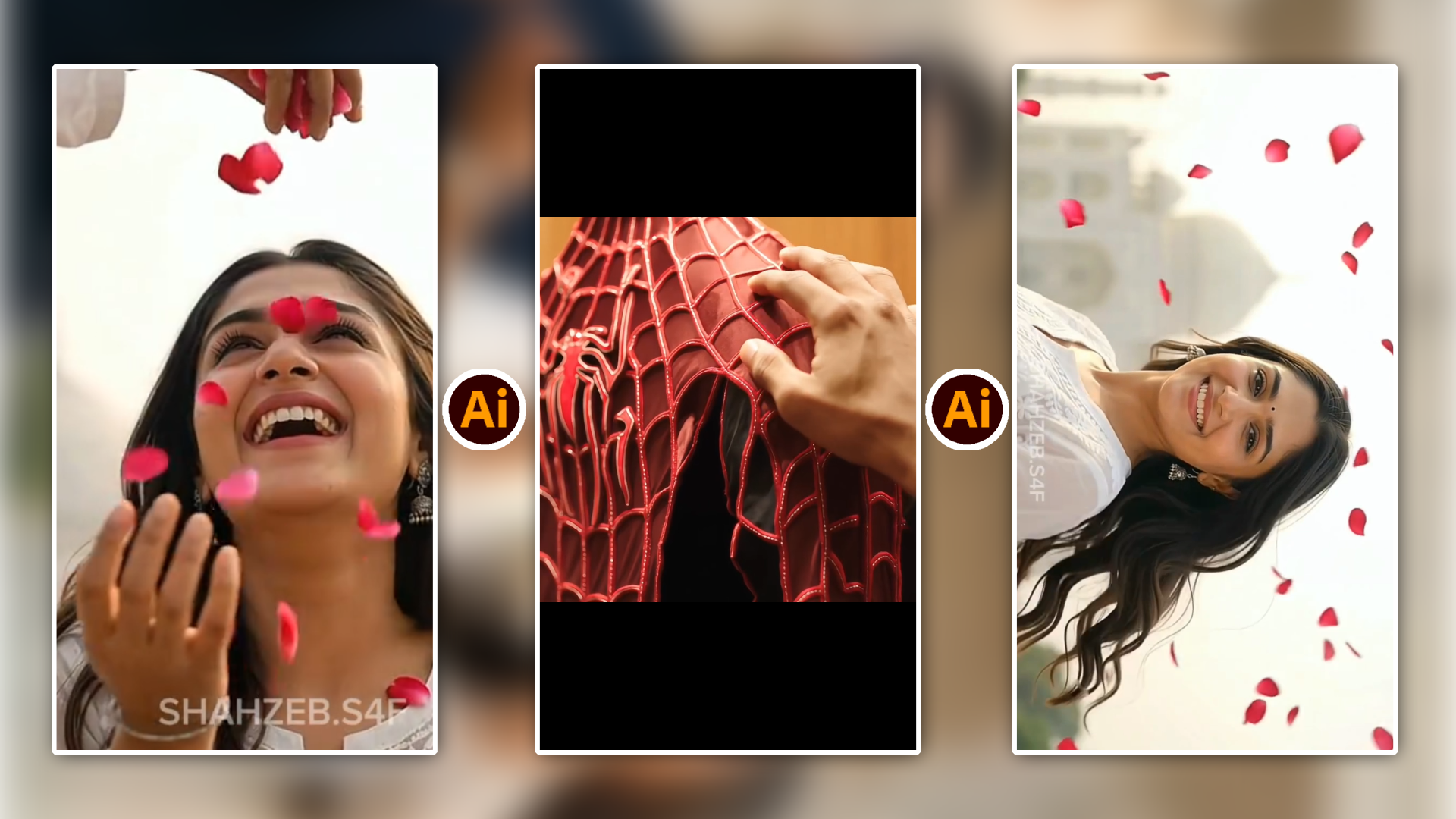
Ai Spider Main Video Prompt 👇
Replace the face of the main male character in the source video with my face from @Image 1. The attached collage shows the same person from multiple angles; use all views to accurately preserve my identity. Match my facial proportions, eyes, nose, lips, jawline, skin tone, and distinctive facial features. My face must remain recognizable and consistent throughout the entire video, including during head turns, speech, and fast movements. Preserve the original character’s body, clothing, actions, head movements, gaze direction, facial expressions, and lip-sync timing. Keep the original camera movement, framing, background, other people, editing, and audio unchanged. Use Image 1 only as a facial identity reference; do not copy the suit or background from the photos.
Blend my face naturally into the scene with matching lighting, shadows, perspective, and motion blur. Preserve realistic skin texture and natural occlusions when objects or hands pass in front of the face. No identity drift, flickering, warped features, beauty filters, or visible face-swap seams.
VIDEO CLIPS DWONLOAD
Sirf sahi time par post schedule kar dena kaafi nahi hota; viewer ka scrolling thumb rokne ke liye caption aur first 3 seconds ka coordination sharp hona chahiye.
Schedule setup karte waqt AI se direct standard descriptive captions mat maangiye. Instead, unhe Pattern-Interrupt Format mein structure karwayein:
- The 3-Second Hook: First sentence hamesha suspenseful ya bold contrast ke sath start ho (e.g., “Yeh ek setting badalte hi aapka export stutter gayab ho jayega”).
- Body Skimmability: Long wall-of-text ke bajaye clean bullet points aur natural line breaks demand karein.
- Conversational CTA (Call to Action): Generic “Follow for more” ke bajaye context-based prompt use karein, jaise “Comment ‘TIMELINE’ aur main exact project file link bhej doonga”. Isse instant engagement spike trigger hota hai jo post ko algorithm push provide karta hai.
Advanced Metric Tracking: Schedule Success Kaise Measure Karein

Ai Love Story Video Prompt 👇
This video captures a romantic and cinematic sequence featuring a young couple against the iconic backdrop of the Taj Mahal.
Key Highlights from the Video
Setting: The scenes are set in picturesque gardens with white marble architecture and classic monuments resembling the Taj Mahal.
Characters & Attire: A young woman with long dark hair, wearing an elegant white embroidered suit and traditional silver jhumkas, accompanied by a young man wearing glasses, a white kurta, and a navy blue Nehru jacket.
Romantic Moments: The video features tender interactions, including the couple leaning on each other, walking arm-in-arm through the gardens, enjoying a shower of red rose petals, and releasing a white dove near a marble pavilion.
Would you like help generating text-to-video prompts or writing a similar description based on this style?
Aapka AI schedule properly deliver kar raha hai ya nahi, yeh track karne ke liye views se zyada structural retention metrics matter karte hain:
- Non-Follower Reach Ratio: Professional Dashboard mein jaakar dekhein ki kitne percent views non-followers se aa rahe hain. Agar yeh number 60% se upar hai, toh aapka scheduling hook perfect market par land kar raha hai.
- Save-to-Like Ratio: Educational ya tutorial content mein agar saves likes ke 20% ya usse zyada hain, toh aapka content high longevity value generate kar raha hai.
- Watch Time vs Video Length: Agar 30-second Reel ka average percentage watched 80%+ hai, toh video organic recommendation loop mein enter karegi.
Conclusion
AI se Instagram posting schedule kaise banaye, iska real answer technology aur personal creativity ke seamless balance mein chipa hai. AI aapko structural data, consistency framework aur mental clarity deta hai, lekin content ka soul, authentic visual storytelling aur connection aapke real hands se hi aayega.
Aaj hi bataye gaye steps follow karein, apna basic data gather karke pehla structured 30-day AI calendar deploy karein, aur apni energy Roz-Roz sochne ke bajaye high-impact creation mein lagayein. Regularity aur high production quality hi digital growth ki real key hain.
FAQs
Q1: Kya AI scheduler use karne se Instagram reach shadowban ya freeze ho sakti hai?
Nahi. Official Meta Partner APIs (jaise Meta Business Suite, Buffer, Later) fully compliant hoti hain. Third-party unauthorized automation tools jo password use karke auto-action karte hain sirf unse bachna chahiye.
Q2: AI scheduling ke sath manual posting ka balance kaise banayein?
Core evergreen content (Reels, educational Carousels) ko AI se 100% pre-schedule rakhein. Live updates, real-time moments, polls aur trending pop-culture audios ko hamesha manual spontaneity ke sath stories aur instant reels mein add karein.