Hollywood Jaisa AI Cinematic Video Kaise Banaye | Full Hinglish Tutorial M4 87
Hey everyone! Main hoon ek professional video editor aur pichle 7+ years se editing industry mein active hoon. Content creation aur visual storytelling ke is safar mein maine m4editorofficial YouTube channel par 13.6K subscribers aur Instagram par m4_editor_official page par 145K followers ki ek amazing family built ki hai, jahan main daily trending editing techniques aur cutting-edge updates share karta hoon. Is website ko shuru karne ka mera main motive yahi hai ki jo practical knowledge aur real industry skills maine saalon mein seekhi hain, wo aap sabhi tak bilkul free mein pahunch sakein taaki har ek beginner ek pro-level creator ban sake.
Aaj kal social media par, chahe wo YouTube Shorts ho, Instagram Reels ho, ya phir long-form videos, AI cinematic videos ka trend sabse peak par chal raha hai. Har koi aisi videos banana chahta hai jo dekhne mein bilkul high-budget Hollywood movies jaisi lagein—dark moody tones, hyper-realistic characters, epic camera movements, aur intense sound design.
Pehle ke time par aisi videos banane ke liye lakhon rupaye ke camera gear, heavy VFX software (jaise After Effects ya Blender) aur ek puri team ki zaroorat hoti thi. Lekin aaj, Artificial Intelligence (AI) ke latest next-generation models ki madad se aap ghar baithe, apne laptop ya smartphone par Hollywood jaisa AI cinematic video generate kar sakte hain. Is ultimate guide mein hum latest text-to-video aur image-to-video technologies ke sath step-by-step poora process samjhenge taaki aapka visual content next level par pahunch sake.
Step 1: Scripting and Storyboarding (The Foundation)
Kisi bhi cinematic video ki jaan uski kahani hoti hai. Agar aapki script powerful nahi hai, toh duniya ka best AI tool bhi aapki video ko hit nahi bana sakta. Ek beginner ko hamesha dhyan rakhna chahiye ki AI wahi deliver karega jo aap use text ke roop mein samjhayenge.
- Concept Definition: Sabse pehle sochiye ki aap kis genre ki video banana chahte hain—Sci-Fi, Historical Drama, Cyberpunk, Horror, ya Fantasy?
- Prompt-Ready Scripting: Apni kahani ko scene-by-scene divide kijiye. Har scene ke liye clear visual details likhiye. AI ko command dene ke liye aapko har shot ka description aur lighting setup pehle se pata hona chahiye.
Pro Tip: Agar aapko script likhne mein problem aa rahi hai, toh aap ChatGPT ya Google Gemini ka use kar sakte hain. Unhe aisa prompt dein: “Write a 5-scene cinematic sci-fi trailer script with detailed visual descriptions for image generation prompts.”
Step 2: Hyper-Realistic Images Generate Karna (Latest Models)
Video banane se pehle hume high-quality visuals ya base images ki zaroorat hoti hai. Yeh images jitni detailed aur cinematic hongi, aapki final video utni hi professional aur realistic lagegi. Iske liye hum latest generation AI image generators ka use karenge.
Best Tools for Cinematic Images:
- Midjourney V6: Yeh filhaal industry ka sabse king tool hai cinematic, moody, aur photorealistic photos generate karne ke liye. Iska text rendering aur lighting control bemisaal hai.
- FLUX.1: Yeh ek naya aur revolutionary model hai jo market mein bohot popular ho raha hai. Yeh hyper-realistic human skin textures aur complex prompts ko bohot accurately samajhta hai.
- Leonardo.ai: Agar aap ek free aur user-friendly alternate dhoodh rahe hain, toh Leonardo AI ka naya model amazing cinematic results deta hai jise beginners aasani se handle kar sakte hain.
Cinematic Prompts Kaise Likhein?
Normal text likhne se cinematic look nahi milta. Aapko apne prompt mein technical camera terms add karne honge.
- Bad Prompt: A man standing in a futuristic city.
- Good Cinematic Prompt: A rugged
cyber-punk warrior standing under neon lights, heavy rain, cinematic lighting, shot on a 35mm lens, anamorphic widescreen aspect ratio 21:9, hyper-realistic, photorealistic, moody atmosphere, volumetric fog, –ar 21:9.
Aapko hamesha aspect ratio –ar 21:9 (widescreen) ya –ar 16:9 rakhna chahiye taaki video ko natural movie wala cinematic look mile.
Step 3: Image-to-Video Conversion (Bringing Visuals to Life)
Ab jab aapke paas high-quality images ready hain, toh waqt hai unhe video clips mein convert karne ka. Latest AI video generators ab physics aur motion dynamics ko bohot acche se samajhte hain, jisse video mein glitches bohot kam aate hain.
Top Next-Gen AI Video Generators:
- Runway Gen-3 Alpha: Yeh tool cinematic video generation ke mamle mein sabse aage hai creators ke liye. Iski madad se aap dynamic motion aur camera movements ko bohot smooth tarike se control kar sakte hain.
- Luma Dream Machine: Yeh ek aur powerful tool hai jo image se high-quality, high-frame-rate cinematic shots generate karke deta hai, aur iska camera tracking bohot real lagta hai.
- Kling AI: Ek aur naya aur powerful generator jo human body movements aur slow-motion physics ko bohot realistic tarike se render karta hai.
Camera Controls Ka Sahi Use:
Jab aap image upload karein, toh prompt box mein camera movements specify karein. Jaise ki:
- Slow cinematic pan right, 4k resolution
- Subtle drone shot zooming out, cinematic lighting
- Slow motion smoke effect, dramatic wind blowing the character’s hair, photorealistic
Expert Insight: Cinematic videos mein hamesha motion speed ko low ya subtle rakhein. Pura movie-like feel slow-motion aur smooth camera movements se hi aata hai. Zyada fast motion se video artificial aur robotic lagne lagti hai.
Step 4: AI Voiceover aur Dialogues Create Karna
Ek acchi cinematic video bina heavy voiceover ke adhoori lagti hai. Agar aap apni aawaz record nahi karna chahte, toh market mein aise AI tools hain jo bilkul real human tone aur deep bass wali cinematic voice generate karte hain jo kisi professional dubbing artist jaisi lagti hai.
- ElevenLabs: Yeh voice generation ke liye best tool hai. Yahan aapko Adam ya Antoni jaise deep, gravelly voices mil jayengi jo Hollywood trailers ke liye perfect hain. Isme ab breath sounds aur natural pauses bhi automatic add hote hain.
- Voice Customisation: Hamesha voice settings mein jaakar stability aur clarity ko customise karein taaki monotone robot aawaz ki jagah natural human expression aur emotional depth sunai de.
Step 5: Editing, Colour Grading, and Sound Design (The Magic Step)
Saare AI elements (video clips, voiceover) ko collect karne ke baad real editing shuru hoti hai. Is step ke liye aap CapCut (PC/Mobile), Premiere Pro, ya DaVinci Resolve ka use kar sakte hain.
Cinematic Editing Workflow:
- Timeline Arrangement: Apni script ke mutabik sabhi AI video clips ko timeline par arrange karein. Har clip ki duration 3 se 4 seconds se zyada nahi honi chahiye taaki pacing dynamic rahe aur audience bore na ho.
- Colour Grading (The Hollywood Look): AI-generated videos ke colours kabhi-kabhi thode mismatched hote hain. Unhe ek uniform look dene ke liye Teal and Orange LUTs apply karein. Contrast badhayein, shadows ko thoda dark karein aur highlights ko control karein taaki moody cinematic atmosphere built ho sake.
- Sound Design & Foley: Yeh sabse important part hai. Background mein ek intense Cinematic Orchestral Music ya Subtle Drone Ambient Sound lagayein. Visuals ke sath matching sound effects (SFX) add karein—jaise rain sound, thunder strikes, cinematic woosh effects, aur deep risers.
Bonus Tip: AI Video Formatting & Upscaling Trick deed
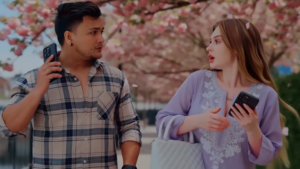
Video Prompt 👇
Video Overview
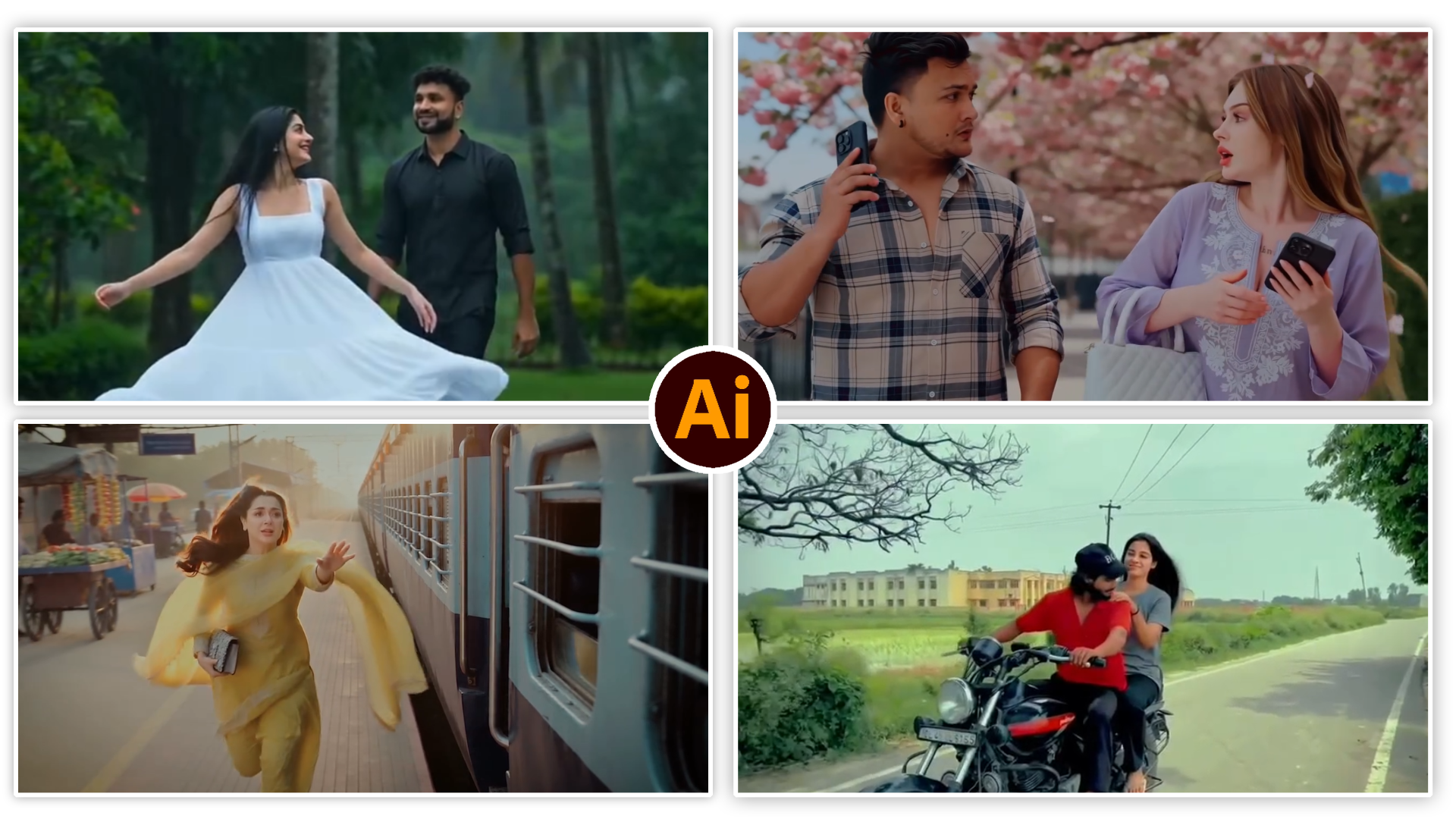
Setting: A picturesque, sunlit walkway lined with blooming cherry blossom trees and manicured hedges.
Characters:
Man: Dressed in a plaid button-down shirt over a white tee, jeans, and sneakers, talking on his phone.
Woman: Dressed in a light purple embroidered traditional top, white pants, and holding a white quilted purse and smartphone.
Background Audio: The Hindi song “Kabhi Jo Baadal Barse” plays throughout.
Key Events Breakdown
The Bump (00:00 – 00:04):
Both individuals are walking down the path, distracted by their phones. They bump into each other, causing the woman to drop her phone and white handbag onto the paved walkway.
Reaching Down (00:05 – 00:07):
Both bend down at the same time to pick up her purse and phone lying among fallen cherry blossom petals.
The First Eye Contact (00:08 – 00:10):
As their hands brush near the handbag, they look up and make close, intense eye contact.
Picking Up the Purse (00:11 – 00:13):
They both place their hands on the white bag, looking at each other gently as cherry blossom petals drift around them.
Standing Together (00:14):
The video ends with both of them standing up under the blooming pink cherry blossom tree, holding hands and gazing at each other romantically.

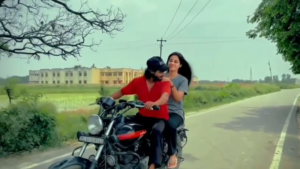
Video Prompt 👇
Reference the original uploaded video. Preserve the entire scene exactly as it is. The rider’s face, body, clothes, bike, road, camera movement, lighting, environment, and background must remain unchanged.
Duration: 10 seconds.
Keep 0.00–3.80 seconds exactly identical to the original video.
At 3.80 seconds, smoothly generate a realistic female passenger on the rear seat of the motorcycle. She should naturally match the rider’s appearance and style, appearing like his companion. She wears casual everyday clothing, has long dark hair flowing in the wind, and smiles warmly while looking toward the rider. She gently places one hand near his shoulder for balance.
Ensure perfect body alignment with the motorcycle, accurate seat position, realistic physics, consistent lighting, natural facial expressions, and smooth temporal consistency without flickering or morphing. Preserve all original objects, scenery, bike details, rider details, and camera motion. The final output must look like a real,
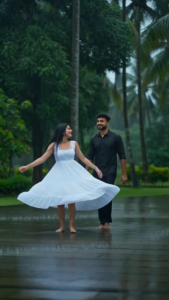
Video Prompt 👇
Video Prompt
Intimate Rain Moments
The video opens with close-up shots of a young woman and a young man standing close together in the pouring rain. Water drops glisten on the woman’s hair and skin as she looks affectionately at the man. The scene emphasizes their close connection, showing detailed shots of their faces as they look at each other, as well as a brief, out-of-focus shot of their hands nearly touching as rain falls around them.
Dancing in the Rain
The woman, dressed in a white summer dress, is then seen spinning joyfully on a wet paved path, her hair flying out around her. The man, wearing a black button-down shirt and black pants, stands nearby, watching her with a warm smile. She continues to spin and dance with a carefree expression as the rain falls.
Running Together
The couple holds hands and runs together down the rain-slicked path, splashing through puddles. They are both barefoot and appear happy, exchanging smiles as they run. The scene transitions to a brighter shot where the sun breaks through the clouds, illuminating the rain falling around them as they walk hand-in-hand.
Scenic Overlook
The video concludes with a wide, elevated shot of the couple standing together on a lush green lawn, looking out over a vast valley. The landscape is filled with dense tropical trees and palm trees, with low-lying clouds and mist rolling through the hills in the background.
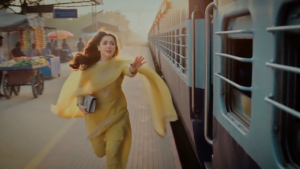
AI Cinematic Video Prompt (Image-to-Video)
Scene 1
Medium close-up tracking shot. The hero stands at the open doorway of a moving train, holding the vertical handle with his left hand while checking his wristwatch with his right hand. Warm golden sunlight illuminates his face. Wind naturally moves his hair and T-shirt. The railway platform passes behind him in smooth motion blur. Camera tracks alongside the train.
Scene 2
Extreme close-up. The hero slightly leans outward while remaining safely inside the train doorway. He looks across the platform. His expression gradually changes from calm to surprised, then deeply emotional. Hair moves softly in the wind. Cinematic lighting with realistic eye reflections.
Scene 3
Slow-motion tracking shot. The heroine runs beside the moving train wearing a yellow salwar suit. Her flowing dupatta and long hair move dramatically in the wind. A purse remains in her left hand. She stretches her right hand toward the hero while emotionally saying, “Pakdo mera haath.” Golden sunlight creates a beautiful rim light.
Scene 4
Extreme close-up of hands only. No faces visible. The hero extends his hand from inside the train. The heroine reaches while running. Their fingertips touch, fingers interlock, and the hero firmly grabs her hand. Warm golden sunlight glows around their joined hands as the flowing yellow dupatta sweeps across the frame in slow motion.
Scene 5
Wide cinematic tracking shot. The hero gently pulls the heroine into the moving train. She safely enters but loses balance from momentum. The hero also loses balance. Both softly fall onto the train floor inside the compartment. The hero lands first and the heroine falls gently over him. Realistic body movement, natural physics, emotional expressions, no injuries.
Scene 6
Romantic close-up. Their faces remain only inches apart. They smile shyly and gaze deeply into each other’s eyes. Wind from the open train doorway gently moves their hair. Warm golden sunlight creates soft lens flares and dreamy bokeh. The camera slowly pushes in before ending on a beautiful freeze-frame romantic ending with a cinematic Bollywood atmosphere.
Bohot se AI tools video generate karte waqt quality ko thoda compress kar dete hain, jisse resolution low lagne lagta hai. Isko fix karne ke liye aap Topaz Video AI ya fir free tools jaise CapCut ke AI Video Upscaler ka use kar sakte hain. Video ko hamesha 4K resolution aur 60fps par upscale karein aur editing software se export karte waqt bitrate ko high rakhein. Isse jab aap content YouTube ya Instagram par upload karenge, toh platform ke compression ke baad bhi video ki sharpness aur details barkarar rahengi.
Future of AI Filmmaking: Workflow Optimisation
Jaise-jaise technology upgrade ho rahi hai, AI filmmaking ka workflow aur zyada simple aur scalable hota ja raha hai. Abhi ke liye, alag-alag tools ka combination (Midjourney/Flux + Runway Gen-3 + ElevenLabs) use karke ek continuous pipeline banana hi sabse smart approach hai. Isse aap har phase (visuals, motion, audio) par complete creative control rakh sakte hain aur final output bilkul professional standard ka milta hai jo aapke brand ko stand out karne mein madad karega.
Conclusion
Hollywood jaisa AI cinematic video banana ab kisi mahnge studio tak seemit nahi hai. Pura khel aapki creative imagination, detailed prompting, aur smart sound design par depend karta hai. Shuruat mein ho sakta hai ki AI aapko pehli baar mein perfect shot na de, isliye alag-alag prompts aur camera angles ke sath experiment karte rahein. Apne tools ko upgrade kijiye, consistently practice kijiye, aur apne unique ideas ko screen par lekar aaiye.