About the Author
Mera naam MD Maqsood hai aur pichle 7+ saalon se main digital media production aur video editing domain mein actively kaam kar raha hoon. Content creation ke is Safar mein maine YouTube channel m4editorofficial (13.6K+ subscribers) aur Instagram community m4_editor_official (145K+ dedicated followers) build ki hai, jahan daily visual trends, AI post-production hacks aur authentic editing tutorials bilkul free mein deliver karta hoon. Mera main focus hamesha beginners ko direct, honest aur practical digital craftsmanship sikhana raha hai taaki wo kisi bhi third-party fake tools ke chakkar mein pade bina genuine visual mastery achieve kar sakein.
Instagram Viral Couple Photo ChatGPT Se Kaise Banaye: Complete Step-by-Step AI Guide M4 173
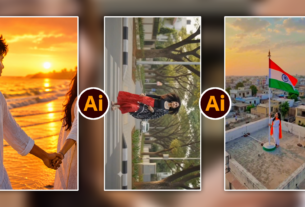
Instagram feed ko agar aap thoda sa bhi scroll karein, toh aapko aisi aesthetic, dreamy aur ultra-realistic couple portraits zaroor dikhti hongi jinke comments section mein har koi bas ek hi cheez pooch raha hota hai—”Bhai ye photo kis camera se click ki hai?” ya “Ye edit kaise kiya?” Reality yeh hai ki inme se 90% visuals kisi professional DSLR ya high-end studio setup se shoot nahi hote, balki modern generative AI prompts ke through design kiye jaate hain.
Agar aap bhi confused hain aur jaanna chahte hain ki Instagram viral couple photo ChatGPT se kaise banaye, toh aap bilkul sahi jagah par hain. Aaj ke time par prompt engineering ek aisi visual superpower ban chuki hai jahan aap bina kisi expensive camera gear ke cinematic, natural aur engagement-grabbing couple photos create kar sakte hain. Is comprehensive guide mein hum visual theory se lekar real copy-paste prompt frameworks aur post-AI enhancement tak har step ko crystal-clear Hinglish mein decode karenge.
AI Couple Photography Kya Hai Aur Yeh Trend Kyun Kar Rahi Hai?
AI couple visual creation ka matlab sirf koi cartoon ya anime image generate karna nahi hai. Aaj ke advanced AI models—jaise ChatGPT (DALL-E engine), Midjourney ya integrated image generators—human anatomy, ambient lighting, cinematic lens optics aur real textures ko itni perfection se simulate karte hain ki ordinary eye ke liye real aur generated photo mein farq pehchanna lagbhag impossible ho jata hai.
Instagram par is trend ke viral hone ke piche
- Hyper-Personalization: Aap apni pasand ka outfit, aesthetic background, festive theme (jaise Diwali, Eid, pre-wedding, winter aesthetic) aur mood custom design kar sakte hain.
- Zero Production Cost: Outdoor photography, lighting gear, location permission aur heavy lenses ka cost zero ho jata hai.
- High Engagement Rate: Cinematic portraits par Instagram ka retention aur save-rate bohot high rehta hai, jo algorithm ko viral push trigger karne ke liye motivate karta hai.
ChatGPT Visual Engine Ka Setup Aur Basic Workflow
Bohot se beginners sochte hain ki ChatGPT sirf text answer karta hai. Lekin reality yeh hai ki ChatGPT ke advanced versions mein image generation direct integrated hota hai, aur agar aap free version use kar rahe hain, toh ChatGPT aapke liye master-level visual prompts create karta hai jise aap free image generators (jaise Microsoft Copilot / Bing Image Creator) mein 1 click mein render kar sakte hain.
Step 1: ChatGPT Ko Apne Visual Director Ke Roop Mein Train Karein
Jab aap direct prompt likhte hain—”Generate a romantic couple photo”—toh result bohot generic, animated aur plastic jaisa nikalta hai. Iske bajaye ChatGPT ko pehle role assign karein:
“Act as an award-winning cinematic portrait photographer. I want to create an ultra-realistic 8K editorial couple photo for Instagram. Suggest lighting, camera aperture, lens focal length, authentic skin texture details, and emotional framing.”
Step 2: Prompt Elements Ka Right Combination
Ek perfect viral image prompt ke andar 5 core pillars hone mandatory hain:
- Subject & Posture: Couple ka body language natural ho (candid laugh, walking side-by-side, subtle eye contact).
- Wardrobe Styling: Clothes ka fabric detail (linen, silk, oversized wool sweater, ethnic embroidery).
- Lighting Dynamics: Golden hour rays, diffused overcast light, neon reflections, ya window rim-lighting.
- Camera Simulation: Focal length (jaise 85mm f/1.4 ya 35mm street view), shallow depth of field, subtle film grain.
- Negative Space & Composition: Instagram 4:5 vertical framing, rule of thirds, clean background.
4 Trending Aesthetic Styles: Tested ChatGPT Prompts
Chaliye ab baat karte hain un exact aesthetic styles ki jo is waqt Instagram par sabse zyada shares aur saves generate kar rahi hain. Aap in prompts ko direct copy-paste kar sakte hain ya ChatGPT se thoda tweak karwa sakte hain.
1. Aesthetic Golden Hour Sunset Street Portrait
Yeh style warm tones, soft backlighting aur cinematic urban vibes ke liye benchmark mana jata hai.
Detailed Prompt
- Beginner Tip: Kabhi bhi prompt mein “perfect faces” mat likhiye. Uski jagah “authentic skin textures, natural imperfections, candid expression” use karein taaki chehre AI-generated plastic cartoon na lagein.
2. Traditional Festive & Royal Ethnic Look
Festivals, weddings aur cultural trends ke dauran is visual category ki demand exponential ho jaati hai.
Detailed Prompt:
AI Image Ko Hyper-Realistic Kaise Banayein (Advanced Prompt Engineering)
Kayi baar jab aap image generate karte hain, toh chehre thode unnaturally smooth ya ungliyan (fingers) distorted ho jaati hain. Is problem ko fix karne ke liye hum prompt structuring mein advanced technical parameters add karte hain.
Negative Prompts Ka Smart Use
Agar aap aisa platform use kar rahe hain jo negative parameters accept karta hai, ya ChatGPT ko instruction de rahe hain, toh in terms ko avoid list mein daalein:
Camera Language Ka Magic
Jab aap AI ko normal English ke bajaye camera optics ki language mein order dete hain, toh rendering engine completely change ho jata hai:
- 85mm f/1.4: Perfect portrait separation aur buttery background blur ke liye.
- Golden Hour Rim Light: Subject ke edges ko background se alag karne ke liye.
- 35mm Film Grain / Kodak Portra 400 Tone: Natural nostalgic colour science ke liye.
Face Swap Aur Personalisation: Apne Chehre Ke Sath Photo Kaise Banayein?
ChatGPT se ek perfect cinematic couple frame generate kar lene ke baad, sabse bada sawal yeh hota hai: “Bhai isme mera aur mere partner ka original face kaise lagega?”
Iske liye aapko two-step workflow follow karna chahiye jo professional digital creators use karte hain:
- Step A (Master Canvas): ChatGPT ya Copilot ke through ek aisi photo create karein jiska posture, hairstyle aur angle aapke real-life features se closely match karta ho.
- Step B (Face Integration): Ek safe aur reliable AI face-swap tool (jaise Remaker AI, FaceFusion, ya open-source tools) mein apna master image upload karein.
- Important Check: Hamesha high-resolution, front-facing candid selfies upload karein jisme lighting generated image se match karti ho. Agar generated image mein light right side se aa rahi hai, toh aapki reference selfie mein bhi light right side se honi chahiye taaki jawline aur shadows seamlessly blend ho sakein.
Post-Processing Workflow: Mobile Editing Se Professional Finish
AI tool se generate hui raw image kitni bhi achhi ho, Instagram algorithm natural colour variations aur human touch ko easily detect karta hai. Isliye 2 minute ka post-processing step aapki photo ko 10x authentic bana deta hai.
Lightroom Mobile Adjustments
- Clarity & Texture: Texture ko हल्का sa (+5 ya +8) badhayein aur Dehaze ko balance karein. Clarity ko zyada mat badhayein, varna edges hard ho jayenge. Colour Grading (Split Toning): Shadows mein mild Teal ya Warm Brown add karein aur Highlights mein soft Orange/Gold tone rakhein.
- Noise Reduction & Grain: AI images aksar ultra-clean hoti hain jo unhe artificial banati hain. Lightroom ke andar Grain setting ko +10 se +15 tak add karein. Yeh micro-grain photo ko authentic 35mm vintage camera capture ka feel deta hai.
Snapseed Healing Tool
Agar background mein koi weird extra object, distorted light bulb ya unnatural texture ban gaya ho, toh Snapseed ke Healing ya Selective tool se use seamlessly clean kar dein.
Bonus Tip: The “Motion Blur & Carousel” Growth Strategy
Yeh ek proprietary trick hai jo hum apne agency workflow mein client pages ke liye use karte hain:
Sirf ek static photo upload karne ke bajaye, usi couple visual ko VN Video Editor ya CapCut mein import karein. Usme 0.5-second ka slow zoom-in keyframe, soft ambient dust particles overlay aur background mein ek trending cinematic lofi acoustic audio add karein.
Iske baad 2-slide carousel post karein:
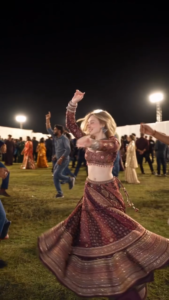
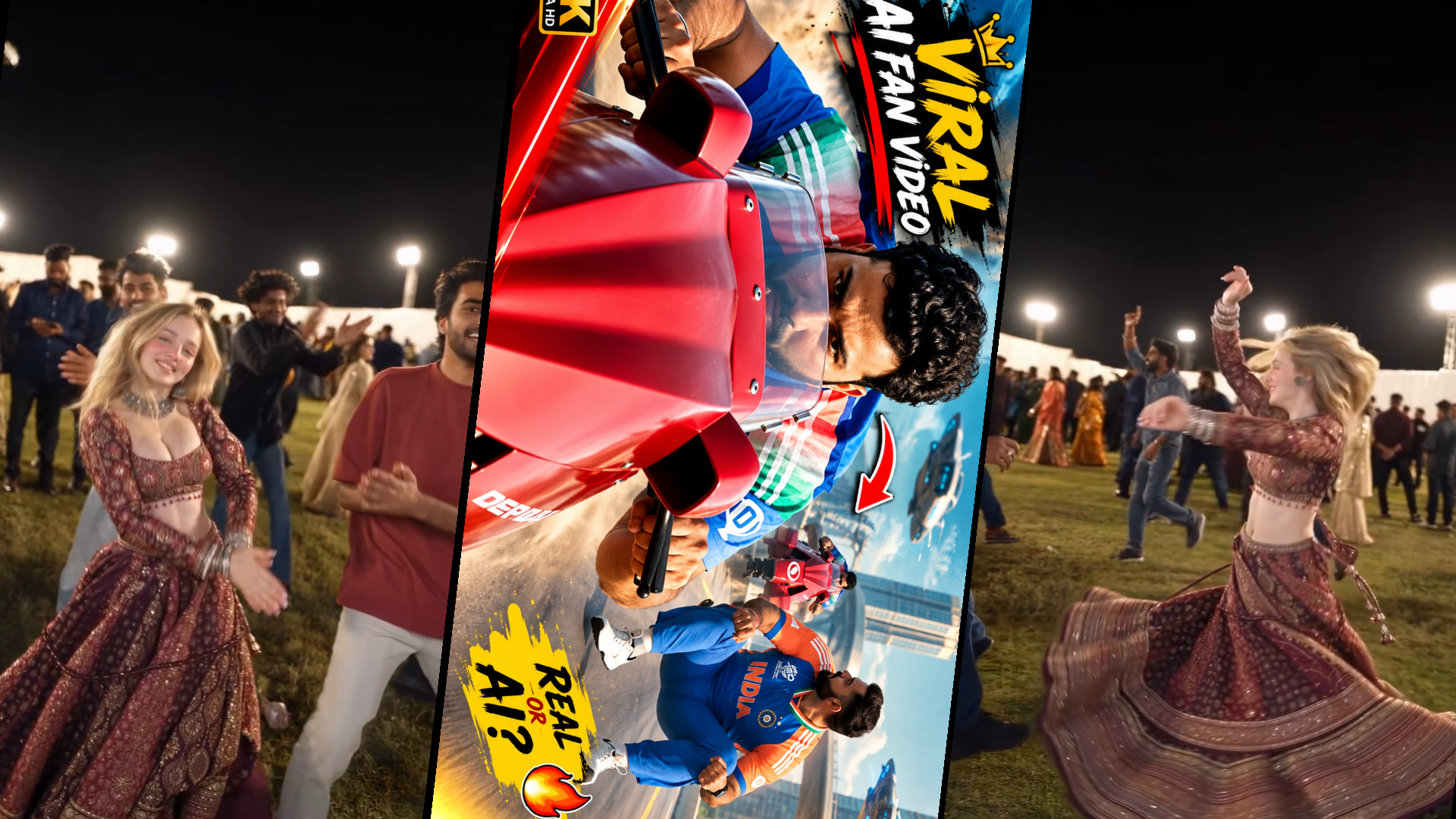
Cinematic 9:16 vertical video of an energetic young European woman with blonde hair dancing Garba at an outdoor Navratri festival at night. She is wearing a heavily embroidered maroon and gold traditional Indian lehenga choli with mirror work, long sleeves, a flared skirt, and oxidized silver jewelry (choker and stacks of bangles). She smiles playfully at the camera, twirls and spins rapidly in a wide 360-degree circle making her heavy lehenga skirt flare out dramatically across the green grass lawn. She claps her hands rhythmically and raises her arms overhead in joy, swaying to the festive music. Background shows a crowded outdoor festival ground with people dancing in circles under warm floodlights and stage lighting, dark night sky. Dynamic handheld gimbal camera tracking her motion, smooth orbital camera movement, shallow depth of field, vivid festive colors, motion blur on the spinning fabric, photorealistic, 4K resolution, 24fps. .
- Slide 1: 4-second looping micro-video (jisme photo subtle move kar rahi ho).
- Slide 2: High-resolution still original ph
Is setup se viewer ka watch time automatically double ho jata hai, Instagram post ko high retention bucket mein daalta hai, aur explore feed par viral hone ke chances kayi guna badh jaate hain.
Instagram Uploading Checklist For Maximum Reach

Cinematic AI Video Generation Prompt > Prompt: A photorealistic, fast-paced comedy action scene on a sweeping elevated highway running through a futuristic metropolis with towering curved glass skyscrapers. An athletic man in a blue and orange athletic sports uniform glides smoothly down the asphalt at high speed, crouched in a seated squat position without a vehicle, sliding on his sneakers like an invisible sled. The camera tracks low alongside him as he balances and weaves along the road curves. Suddenly, another athlete wearing a sports jersey approaches rapidly from behind, speeding on a sleek, vibrant red sci-fi hoverbike inspired by Akira. The red bike zooms past him with intense motion blur and wind turbulence. The sliding man looks back in shock and dodges sideways with exaggerated comedic panic. Dynamic cinematic camera, sunny daylight, crisp depth of field, hyper-detailed textures, 4K resolution. > Key Shot Breakdown (For Multi-Prompt / Keyframe Generation) * Shot 1 (Low-Angle Tracking Shot): Low-angle dynamic tracking shot of Virat Kohli in an Indian cricket jersey squatting and effortlessly sliding down a curved, empty elevated highway amidst modern Dubai-style futuristic skyscrapers. Direct eye contact transitioning to focused steering motion. * Shot 2 (Pursuit & Overtake): Wide chase shot showing a futuristic red streamlined bike speeding up behind the sliding man. The rider, Rohit Sharma in a cricket jersey, leans aggressively forward over the handlebars as the bike roars past in a close overtake. * Shot 3 (Reaction & Near Miss): Over-the-shoulder close-up tracking shot as the slider looks back in sudden realization and disbelief, comically leaning out of the way as the red vehicle swooshes ahead down the winding flyover. Suggested Negative Prompts & Settings * Style / Engine: Photorealistic, Action Comedy, Fast-Paced Cinematic * Camera Movement: Low-angle tracking shot, fast forward dolly, dynamic pan * Negative Prompt: cartoon, 3D render artifacts, low resolution, blurry faces, distorted limbs, bad anatomy, jittery motion, dark lighting
Photo ready hone ke baad final step presentation ka hota hai:
- Aspect Ratio: Hamesha 4:5 vertical format (1080 x 1350 pixels) mein crop karke post karein. 1:1 square photos feed mein kam space occupy karti hain, jabki 4:5 mobile screen ka maximum real estate cover karta hai.
- High Quality Uploads Setting: Instagram settings -> Data usage and media quality -> Upload at highest quality ko verify karein ki yeh toggle ON hai.
- Conversational Hook Caption: Caption mein technical AI ki baat karne ke bajaye emotional ya relatable hook likhein, jaise: “If retro cinema was a real-life date… rate this aesthetic from 1-10.”
- Micro-Hashtags: Heavy spam hashtags avoid karein. Sirf 5-8 hyper-relevant tags use karein jaise #AestheticCouple #PortraitVisuals #GoldenHourPortraits #CinematicVibes #EditorialPortraits.
Conclusion
AI tools aapki creative vision ko replace karne ke liye nahi, balki use bina kisi budget barrier ke reality mein badalne ke liye bane hain. Jab aap sahi prompt keywords, cinematic camera angles aur light-texture ka balanced combination samajh jaate hain, toh visual design karna ek effortless art ban jata hai. Prompts ke sath alag-alag variations experiment karte rahein, apne visuals mein personal aesthetic add karein aur creative editing skills ko daily level par upgrade karte rahein.