Author Profile & Editorial Note: Mera naam MD Maqsood hai aur pichhle 7 saalon se main visual storytelling, video editing aur AI content creation industry mein active hoon. Apne digital journey ke dauran maine YouTube par m4editorofficial ke zariye 13.6K se zyada passionate creators ko train kiya hai, jabki hamari Instagram community m4_editor_official par 145K creators real-time visual editing trends seekh rahe hain. Mera primary objective hamesha yahi raha hai ki complex digital techniques aur emerging AI tools ko beginners ke liye transparent, practical aur totally accessible banaya jaye bina kisi paid barrier ke.
Romantic Navratri Couple Photo Prompt: Create Ultra-Realistic AI Festival Portraits Step-by-Step M4 175
Festive season aate hi social media feeds traditional aesthetic, vibrant ethnic outfits aur cinematic photography se bhar jati hain. Aaj ke samay mein Instagram, Pinterest aur Facebook par festival-specific creative imagery share karna ek massive cultural trend ban chuka hai. Lekin ground reality yeh hai ki har couple ya creator ke paas high-end DSLR camera, expensive studio lighting setup ya professional Gujarati chaniya choli aur designer kurtas ka wardrobe arrange karne ka budget nahi hota.
Yahi par Artificial Intelligence ki creative power hamare kaam aati hai. Ek structured Romantic Navratri Couple Photo Prompt ki help se aap apne simple mobile selfie ya ordinary indoor image ko ek ultra-realistic, DSLR-level cinematic festive portrait mein transform kar sakte hain. Yeh guide beginners ke liye design ki gayi hai taaki aap bina kisi technical complication ke accurate face preservation ke sath trending festival pictures create kar sakein.
The Rising Trend of Festive AI Couple Photography
Navratri ka festival lights, colours, devotion aur energetic Garba nights ka celebration hai. Aaj kal couples apni traditional bond aur romantic moments ko capture karne ke liye creative festival shoots prefer karte hain. AI image generation algorithms jaise ChatGPT Plus (DALL-E 3 / Vision) aur Google Gemini Advanced multimodal processing ke zariye complex traditional patterns ko realistic texture ke sath generate karne mein capable ho chuke hain.
Sabse bada challenge jo users face karte hain wo hai facial distortion ya AI image ka cartoonish dikhna. Is article mein hum jis exact prompt formula aur reference pipeline par discuss karenge, wo aapke original chehre ki natural skin texture, jawline aur facial identity ko 100% preserve rakhte hue aapko ek regal Gujarati festive look provide karega.
Essential Requirements for Perfect AI Image Generation
AI tool ko execute karne se pehle kuch foundational preparation zaroori hoti hai taaki AI engine ko crisp data points mil sakein:
- High-Resolution Reference Photo: Ek clear, well-lit couple photograph select karein jisme dono faces directly camera facing ya slight angle par saaf dikh rahe hon. Heavy filters ya blurry photos avoid karein.
- Neutral Background & Natural Lighting Reference: Agar reference image natural daylight ya clear room light mein click ki gayi ho, toh AI ko skin tone pick karne mein maximum accuracy milti hai.
- Correct AI Platform Access: Active ChatGPT account (with image upload feature) ya updated Google Gemini app/web interface.
- Official Prompt Formula: Accurate syntax jo identity preserve kare aur traditional wardrobe, dandiya props, aur festive bokeh ko perfect balance de.
Where to Get the Official AI Photo Prompt
Sabse pehle aapko hamari official platform website m4editor.com par visit karna hai. Website ke festive prompts section mein jakar aapko latest trending Romantic Navratri Couple Photo Prompt access mil jayega.
Wahan se prompt ko directly text format mein clean copy karein. Ensure karein ki aap text ke starting point se lekar end tak bina kisi word miss kiye copy kar rahe hain, kyunki har ek line identity preservation aur lighting control ke liye deeply optimised hai.
Complete Blueprint: The Master Navratri Couple Photo Prompt
Yeh raha wahi exact detailed prompt jise aapko use karna hai. Yeh prompt model ko clearly restrict karta hai ki wo chehre ko badle bina background aur outfit ko upgrade kare:
ULTRA-REALISTIC CINEMATIC NAVRATRI COUPLE PORTRAIT — MEDIUM SHOT
Use the uploaded couple photograph as the sole and highest-priority identity reference for both individuals. Recreate the same man and woman from the uploaded photograph in this festive indoor setting. Preserve their recognisable facial identities, facial structure, skin tones, natural skin texture, hairstyles, and individual features with maximum accuracy. Do not replace, redesign, beautify, or alter their faces. Both individuals must look like the same real people in the reference photograph.
POSE & EXPRESSION: A romantic South Asian couple posing back-to-back in a medium shot during a festive Navratri celebration. The woman gently rests her head on the man’s shoulder, wearing a soft, natural smile. The man stands confidently beside her, smiling warmly and relaxed. Their body language feels intimate, comfortable, and authentic, like a candid professional festival photograph. Both hold beautifully decorated Dandiya sticks wrapped in intricate red, black, and gold patterns.
WOMAN’S OUTFIT & STYLING: Dress the woman in a vibrant, heavily embroidered Gujarati lehenga choli featuring multicolored traditional patterns, intricate mirror work, delicate thread embroidery, and rich festive detailing. Add a matching royal-blue dupatta draped elegantly over her arm. The outfit should look authentic, luxurious, and naturally fitted, with realistic fabric folds and reflections from the mirror work. Preserve her original facial features, natural complexion, and recognizable appearance from the uploaded reference.
MAN’S OUTFIT & STYLING Dress the man in an elegant teal-blue silk kurta with subtle silver embroidery along the Mandarin collar and a refined traditional finish. The silk fabric should have a natural sheen, realistic folds, and fine textile details. Preserve his original hairstyle, beard, facial proportions, skin tone, and recognizable identity exactly as shown in the uploaded reference photograph.
BACKGROUND & FESTIVE ATMOSPHERE Create a beautiful indoor Navratri-inspired setting with warm, colorful fairy lights softly draped across the wall. Include a traditional diamond-shaped decorative wall hanging with intricate Indian ethnic detailing. Use a softly blurred background with golden, amber, and multicolored bokeh lights to create a cozy, romantic, celebratory atmosphere.
LIGHTING & PHOTOGRAPHY Professional DSLR photography, medium shot, eye-level camera angle, natural skin texture, realistic facial details, soft cinematic lighting, gentle highlights, balanced shadows, authentic colors, shallow depth of field, and beautifully rendered background bokeh. Maintain accurate anatomy, realistic hands, naturally positioned Dandiya sticks, and detailed traditional clothing. The final image must look like a genuine photograph captured by a professional photographer, not an AI-generated image.
IDENTITY PRESERVATION — ABSOLUTE PRIORITY The uploaded photograph must remain the definitive reference for both people’s identities. Keep both faces consistent with the original image, including their facial structure, eyes, nose, lips, jawline, complexion, and natural expressions. Only change the outfits, pose, props, and background as described. Do not invent new facial features or turn them into different people.
FINAL OUTPUT: Ultra-photorealistic, high-resolution 4K image, vertical 4:5 composition, romantic Gujarati Navratri aesthetic, realistic DSLR quality, natural expressions, intricate embroidery, and premium cinematic color grading.
Step-by-Step Generation Guide: ChatGPT Method
ChatGPT ke multimodal model par image generate karna standard text prompting se kaafi simple aur user-friendly hai:
- Open ChatGPT: Apne desktop browser ya mobile application par ChatGPT open karein aur login confirm karein.
- Upload Reference Photo: Chat bar ke left side diye gaye attachment (+) icon par tap karein aur apni selected high-quality couple photo upload karein.
- Paste the Copied Prompt: Hamari official website m4editor.com se copy kiya gaya master prompt text box mein paste karein.
- Execute Command: Send button par click karein. AI model reference image ke facial data points aur skin pigments ko evaluate karke prompt parameters ke according generation process start karega.
- Inspect the Result: Kuch hi seconds mein aapka high-definition cinematic Navratri couple portrait screen par display ho jayega. Image par tap karke full resolution inspect karein aur save kar lein.
Step-by-Step Generation Guide: Google Gemini Method
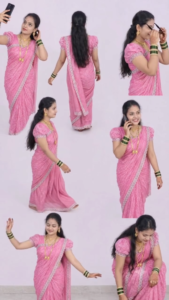
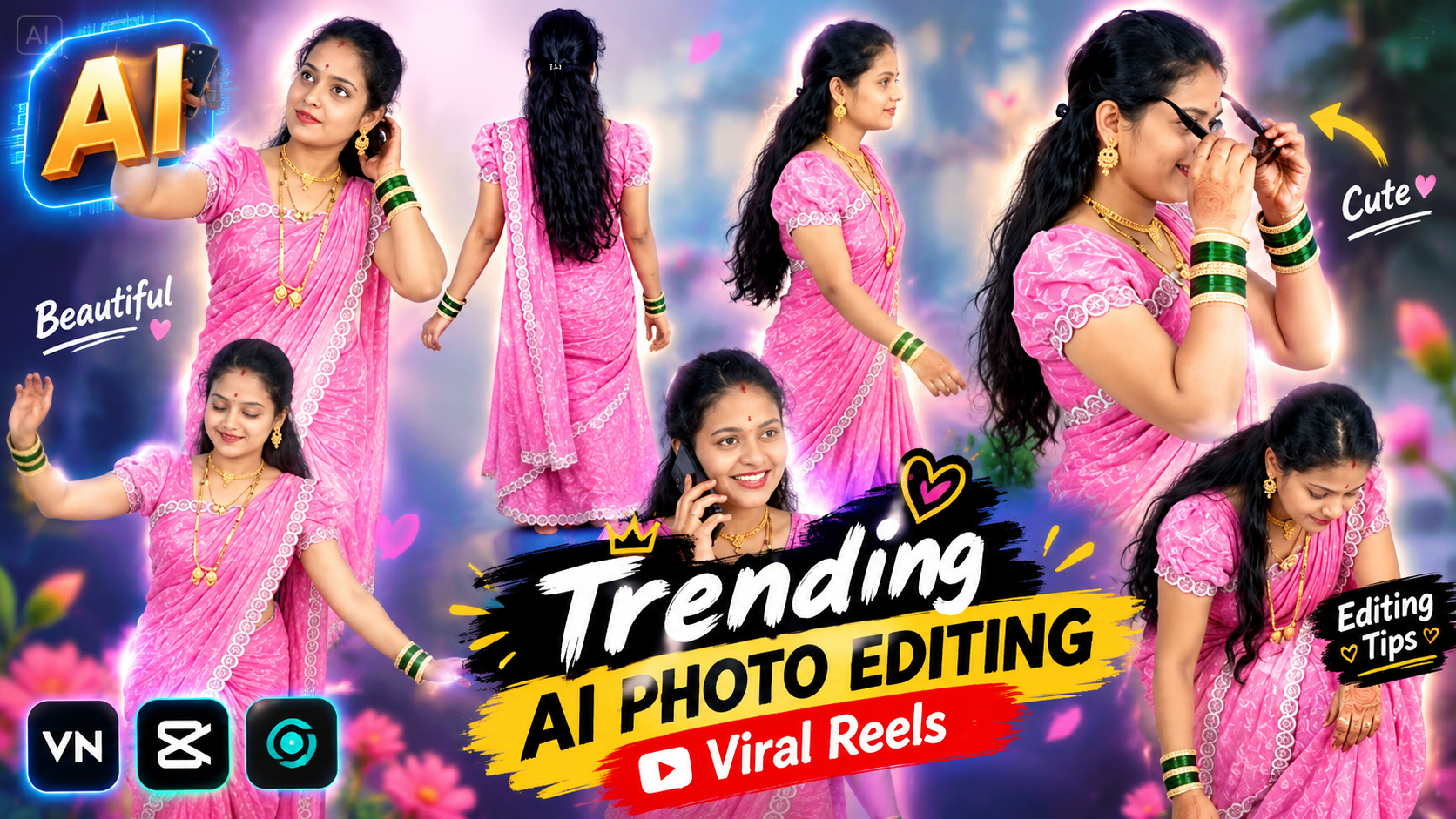
Multi-clone composite video prompt: > Prompt: A multi-clone composite video of the same young Indian woman appearing simultaneously in multiple poses against a clean, minimalist off-white studio background. She is wearing an elegant bright pink saree with an intricate silver border, a matching puffed-sleeve blouse, traditional gold jewelry (necklace, earrings), and green and gold bangles, with long dark wavy hair partially tied back. > Across the frame, several versions of her interact playfully: > * Top-left: Holding a smartphone high, smiling and posing for a selfie. > * Top-right: Putting on stylish black sunglasses with a confident, cheeky smile. > * Center-right: Chatting happily on a phone held to her ear, laughing naturally. > * Center & moving: Walking smoothly in profile, showing the flow of the pleated saree and back details. > * Bottom-left: Dancing gracefully, extending an arm and twirling with energetic classical Indian dance gestures. > * Bottom-right: Crouching down low, gently adjusting the pleats at her feet while looking up and smiling. > High-key soft studio lighting, ultra-realistic textures, clean seamless backdrop, commercial fashion shoot aesthetic, 4k resolution, cinematic smoothness. > Recommended Settings & Parameters * Aspect Ratio: 9:16 (Vertical for Reels/TikTok/Shorts) or 16:9 (Widescreen) * Motion / Dynamics: Moderate (3–5). Keeps each clone's isolated movements fluid without blending or distorting their outlines. * Negative Prompt: distorted anatomy, merged limbs, duplicate faces on single bodies, blurry edges, heavy background clutter, dark lighting, low resolution. (Note: For the cleanest result in production, shoot or generate each action on a static camera with a clean background/green screen, then composite the separate layers together in video editing software like Premiere Pro, After Effects, or CapCut.)
Google Gemini advanced visual reasoning engine ke sath aata hai jo Indian traditional lighting aur micro-textures ko accurately interpret karta hai:
- Access Google Gemini: Gemini mobile application launch karein ya web dashboard (gemini.google.com) par navigate karein.
- Import Clean Couple Image: Prompt entry box mein image icon par click karke wahi clear couple reference file upload karein.
- Insert Prompt Text: Copied prompt ko text box mein enter karein. Ensure karein ki IDENTITY PRESERVATION wala segment prompt ke sath intact ho.
- Trigger Generation: Enter press karein. Gemini image ke geometry aur background bokeh parameters ko seamlessly craft karega.
- Download HD Variant: Output aane ke baad photo par inspect karein ki mirror-work embroidery aur dandiya sticks ki detailing realistic hai ya nahi, aur high resolution direct download karein.
In-Depth Aesthetic Breakdown: Why This Prompt Delivers Studio Quality
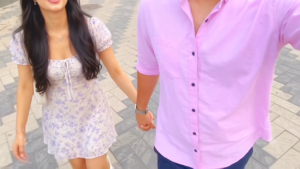
Master Video Prompt (Copy & Paste): > First-person POV selfie vlog shot on a smartphone with subtle natural handheld motion, 9:16 vertical aspect ratio. A young couple walks forward holding hands along an outdoor stone-paved pedestrian pathway in bright, soft daylight. The man on the right, framed from the chest down, wears a pastel lilac-pink button-down casual shirt, dark trousers, and a silver watch. The woman on the left walks closely beside him, smiling cheerfully, wearing a white short sundress with soft purple floral print, puff sleeves, a delicate silver necklace, and long wavy dark hair. Smooth forward tracking motion, authentic romantic couple aesthetic, vibrant pastel color grading, photorealistic textures, 4k. > Structured Parameter Breakdown (for fine-tuning): * Subject & Wardrobe: * Woman: Smiling expression, long dark wavy hair, white mini dress with lavender floral patterns and puff sleeves, delicate butterfly necklace, white shoulder bag. * Man: POV angle (partially cropped at collar/chest level), relaxed-fit short-sleeved pink/lavender button-up shirt, metal wristwatch. * Action & Composition: Interlocked hands swinging gently while walking forward toward the camera’s path, eye-level to slightly high-angle perspective. * Camera Movement: Forward slow tracking shot, realistic handheld micro-shakes typical of walking while holding a smartphone. * Environment & Lighting: Clean geometric stone-tiled outdoor plaza, diffused natural daylight, soft highlights, pastel aesthetic. * Negative Prompt (if applicable): Unnatural limbs, distorted hands, extra fingers, jittery camera jumps, oversaturated colors, blurry faces, low frame rate.
Ek beginner-level AI generation aur professional visual output ke beech ka difference micro-detailing mein hota hai:
- Mirror Work & Fabric Texture: Prompt specifically vibrant traditional patterns aur mirror work ki physical reflections demand karta hai, jisse kapde plastic jaise flat nahi lagte.
- Color Balance (Teal & Royal Blue): Teal-blue silk kurta aur vibrant multi-colored embroidered lehenga choli frame ke andar cinematic contrast banate hain jo festival vibe ko premium look dete hain.
- Shallow Depth of Field: Background fairy lights ko softly blurred amber aur golden bokeh mein convert kiya gaya hai, jisse couple par primary focus rehta hai bina backdrop artificial lage.
- Natural Posture: Back-to-back leaning pose couple photography ka ek classic romantic visual grammar hai, jo intimacy ko decent aur traditional way mein reflect karta hai.
Pro Creator Workflow: Enhancing Your AI Portraits in Post-Production
Video Clips Download
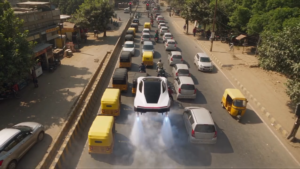
Master AI Video Prompt > Cinematic, photorealistic 8k video. A sleek white futuristic Tesla Roadster drifts through city traffic before getting stuck at a crowded intersection in India, flanked by yellow-and-green auto-rickshaws and motorcycles under a red traffic light. A stylish young Indian driver wearing sunglasses smiles and engages vertical takeoff mode. Rocket thrusters under the chassis ignite with white smoke and blue flame, lifting the car vertically above the gridlock as astonished auto drivers watch. As the flying car ascends over the road, it flies directly into a dense, chaotic tangle of low-hanging overhead electrical and telephone wires, becoming completely trapped mid-air like a spiderweb. Interior cut to the frustrated driver looking up through the panoramic glass roof at the tangled cables. 35mm film look, natural sunny daylight, realistic vehicle physics, comedic punchline ending. > Shot-by-Shot Prompts * Shot 1 (Street Drift & Traffic Jam) Prompt: Low-angle tracking shot of a white modern Tesla sports car drifting around an urban corner, tires smoking, accelerating before coming to an abrupt stop in bumper-to-bumper Indian traffic surrounded by motorbikes and yellow auto-rickshaws at a red signal. Daytime, photorealistic, cinematic. * Shot 2 (Driver Reaction & Ignition) Prompt: Medium close-up inside the car cabin of a stylish young Indian man with a trimmed beard and dark sunglasses sitting behind the steering wheel. He smirks, says something determined, and engages a control switch on the dashboard. * Shot 3 (Thruster Lift-Off & Crowd Reaction) Prompt: Ground-level rear shot of the white sports car. Four high-powered rocket thrusters deploy beneath the chassis, blasting plumes of white vapor and glowing blue exhaust. Quick cut to an Indian auto-rickshaw driver leaning out of his vehicle, wide-eyed, pointing upward in disbelief as the car vertically hovers several meters into the air. * Shot 4 (Aerial Hover) Prompt: High-angle drone shot showing the white car hovering and flying forward smoothly over the stalled line of city buses, cars, and tuk-tuks, smoke trailing beneath it. * Shot 5 (The Wire Web Trap) Prompt: Dynamic wide tracking shot as the flying car ascends past the traffic lights and collides directly into a dense, disorganized mesh of overhead black power and cable wires crisscrossing the street. The car becomes tangled and suspended mid-air, immobilized by the thick bundle of cables. * Shot 6 (Driver Punchline) Prompt: Close-up side profile of the driver inside the suspended car looking up through the panoramic glass roof, wincing in annoyance at the tangled web of electrical wires pinning the vehicle down.
Image generate hone ke baad professional photo editors use direct upload nahi karte. Ek single minute ka refinement aapki picture ko pure commercial quality de sakta hai:
- Micro Color Grading: Adobe Lightroom mobile ya Snapseed use karke warm tones ko slightly balance karein aur shadows mein +5% teal tint add karein.
- Skin Texture Sharpening: Over-smoothing avoid karne ke liye clarity slider ko minimal (+3 to +5) rakhein taaki real skin pores visible rahein.
- Aspect Ratio Optimization: Instagram portrait post ke liye hamesha 4:5 vertical aspect ratio lock karein, jisse feed par maximum vertical real estate milti hai.
Conclusion
Visual editing aur AI prompting consistency ka game hai. Jab aap structured prompts ke flow aur reference preservation ke rules ko samajh kar implement karte hain, toh visual outcomes professional level ke bante hain. Regular practice karein, different lighting prompts try karein aur editing mastery build karein.