About the Author:
Mera naam MD Maqsood hai aur pichhle 7 saalon se main video editing aur post-production field mein continuously kaam kar raha hoon. Raw commercial footage se lekar narrative YouTube videos tak, maine storytelling workflows ko technically evolve hote dekha hai. Apne YouTube channel m4editorofficial (13.6K+ subscribers) aur Instagram account m4_editor_official (145K+ community) ke zariye main naye creators ke sath practical timeline techniques, pacing hacks aur real-world editing breakdowns share karta hoon taaki beginners bina kisi paid masterclass ke organic storytelling skills master kar sakein.
Flow AI Se Storytelling Videos Kaise Create Kare? Complete Beginner Step-by-Step Guide M4 161
Aaj ke digital space mein sirf high-resolution camera se video record kar lena viral ya engaging hone ki guarantee nahi deta. Audience ka attention span seconds mein measure hota hai, aur wahan sirf wahi videos perform karti hain jinme ek solid narrative structure aur gripping visual pacing hoti hai. Storytelling kisi bhi video ki aatma hai, chahe aap ek educational reel bana rahe hon, documentary-style breakdown kar rahe hon ya YouTube case study produce kar rahe hon.
Pehle aisi layered visual stories banana sirf high-end studios ke bas ki baat hoti thi, jahan multiple editors ghanto manually assets sort karte the. Lekin ab automation systems ne is pure game ko open kar diya hai. Aise mein naye creators ke saamne sabse relevant sawal yeh aata hai: Flow AI se storytelling videos kaise create kare?
Agar aap ek beginner hain jise timeline ke complex tools se darr lagta hai, par aap aisi videos assemble karna chahte hain jo viewer ko screen se baandhe rakhe, toh yeh guide aapke liye ek complete production blueprint hai. Hum script breakdown se lekar final audio staging tak har step ko practical tarike se samjhenge.
Step 1: Narrative Story Hook Aur Script Arc Ko Setup Karein
Kisi bhi storytelling video ka sabse pehla aur sabse critical hissa hota hai uska opening hook. Shuruat ke 3 se 5 seconds decide karte hain ki viewer poori kahani sunega ya swipe kar dega.
Structured Script Ingestion
Flow AI mein storytelling project shuru karte waqt sabse pehle aapko apni script ko 3 acts mein divide karna hota hai: The Problem (Hook), The Conflict (Journey/Facts), aur The Climax (Resolution).
Jab aap apni structured script ko tool ke andar input karte hain, toh iska natural language processing engine script ke emotional weight aur tone ko identify karta hai. Yeh simple text ko alag-alag visual beats mein tod deta hai, jisse aapko pata chal jata hai ki script ke kis shabd par visual change ki zaroorat hai.
Beginner Practical Tip:
Script likhte waqt har 2 ya 3 line ke baad ek clear paragraph space dein. Storyline mein jahan suspense create karna ho, wahan bracket mein visual intention likhein (jaise: [Dramatic Pause] ya [Fast Cut]). Isse system scenes ko naturally group karta hai.
Step 2: Semantic Visual Asset Matching Aur Scene Framing
Visual storytelling ka core principle hai: “Show, Don’t Just Tell.” Agar aapka voiceover space exploration ki baat kar raha hai, toh screen par flat text dekh kar audience bore ho jayegi.
Context-Aware Media Stacking
Traditional editing mein editors stock footage websites par ghanto search karte hain. Flow AI aapke voiceover ke keywords aur scene ke context ko scan karta hai.
Misal ke taur par, agar aapki line hai “1990 ke daur mein internet ek naya chamatkar tha”, toh system semantic tagging ke zariye vintage computers, CRT monitors aur retro office environment ke cinematic clips ko fetch karke timeline par perfectly stack kar deta hai. Yeh auto-framing ko execute karta hai, jisse subject hamesha rule-of-thirds ke mutabiq frame ke focus point par rehta hai.
Beginner Practical Tip:
Auto-selected visuals ko ek quick check zaroor dein. Storytelling ko realistic rakhne ke liye agar koi clip zyada modern lag rahi ho jabki context vintage ka hai, toh asset panel se manual search filter lagakar ek consistent colour-toned visual select karein.
Step 3: Emotional Pacing Aur Audio-Voiceover Sync
Storytelling ki asli power hoti hai pacing—yani kab video slow chalegi aur kab tezi se aage badhegi. Har scene ko ek hi speed par dikhana engagement ko khatam kar deta hai.
Automatic Silence Trimming Aur Dynamic Voice Alignment
Flow AI voice recording ko frame-level accuracy ke sath timeline par align karta hai. Yeh dead gaps aur fumbles ko smartly detect karta hai, lekin storytelling ke nature ko samajhte hue yeh dramatic emotional pauses ko preserve karta hai.
Iske algorithm voice ke pitch aur modulation ko analyse karte hain. Jab aapka voiceover energetic hota hai, toh clips ke cut points automatically short aur punchy ho jate hain. Jahan voice intense ya emotional hoti hai, wahan visual clips ka hold time lamba ho jata hai.
Beginner Practical Tip:
Voiceover import karte waqt hamesha high-quality WAV audio format use karein. Raw audio mein agar halka echo hai, toh tool ke built-in Neural Voice Cleanup ko enable karein taaki vocal tone cinematic aur crisp deliver ho.
Step 4: Multi-Layered Sound Staging Aur Smart Auto-Ducking
Ek aam video aur ek cinema-grade storytelling video ke beech ka sabse bada antar sound effects (SFX) aur background music ka layered balance hota hai.
Dynamic Audio Engineering
Sirf ek background track laga dena storytelling nahi kehlaata. Flow AI ke audio modules video ke arc ke according dynamic tension match karte hain.
Jab narrative mein koi problem ya turning point aata hai, toh yeh low-frequency Bass Hits ya Sub-Drown SFX ko visual cut ke frame par align kar deta hai. Sath hi, iska intelligent auto-ducking engine ensure karta hai ki jab voiceover chalu ho, background score naturally -20dB tak dip ho jaye, aur jaise hi dialogue ruke, ambient score wapas emerge ho kar screen ke emotion ko carry kare.
Beginner Practical Tip:
Background music ka selection script ke emotion ke according rakhein. Analytical case study ke liye synth-heavy subtle ambient track aur biographical ya real-life story ke liye slow cello ya piano track select karein.
Step 5: Visual Hooks Aur Kinetic Text Layering
Aaj ke social algorithms par viewer retention tab high rehta hai jab screen par continuous subtle movement bani rahe. Static screens drop-off rates badha deti hain.
Dynamic Caption Styling Aur Push-Ins
Storytelling mein captions sirf padhne ke liye nahi hote, balki narrative ke important key points ko emphasise karne ka kaam karte hain. Flow AI auto-generated dynamic captions create karta hai jo voice ke cadence ke sath animate hote hain.
Iske alawa, yeh system visuals par automatic continuous slow digital zoom (jise Ken Burns Effect kehte hain) apply karta hai. Yeh slow push-in viewer ki aankhon ko screen ke centre par lock rakhta hai, jisse viewer ko kahani ke andar deep immersion feel hota hai.
Beginner Practical Tip:
Captions ke liye clean aur readability-focused fonts chunein jaise Montserrat Semi-Bold ya Poppins Bold. Important words (jaise Numbers, Names, aur Action Verbs) par contrasting colour (Yellow ya Bright Green) ka highlight mark karein.
Step 6: Visual Consistency Aur Seamless Scene Transitions
Ek cohesive story ke liye zaroori hai ki pehla scene aur aakhiri scene visual language mein ek jaisa feel ho. Alag-alag lighting aur saturation wali clips story ka immersion tod deti hain.
Automated Colour Tone Harmonisation
Flow AI alag-alag sources se aayi hui b-roll clips ke colour profiles aur luminance levels ko normalise karta hai. Yeh ek unified LUT (Look-Up Table) apply karta hai—chahe wo cinematic teal-orange palette ho ya moody dark-documentary shade.
Scene shifts ke dauran yeh random flash transitions lagane ke bajaye match-cuts, directional wipes ya subtle light leaks generate karta hai, jo visual storytelling ko television documentary jaisa premium look dete hain.
Beginner Practical Tip:
Apne pure storytelling project ke liye ek single primary colour theme decide karein. Dark investigative story ke liye cool shadow balance rakhein aur inspiring story ke liye warm highlight balance select karein.
Step 7: Final Timeline Assembly Aur Export Optimisation
Video ke components assemble hone ke baad final step hota hai storytelling ke rhythm ko ek aakhiri polish dena.
Complete Video Assembly Checklist

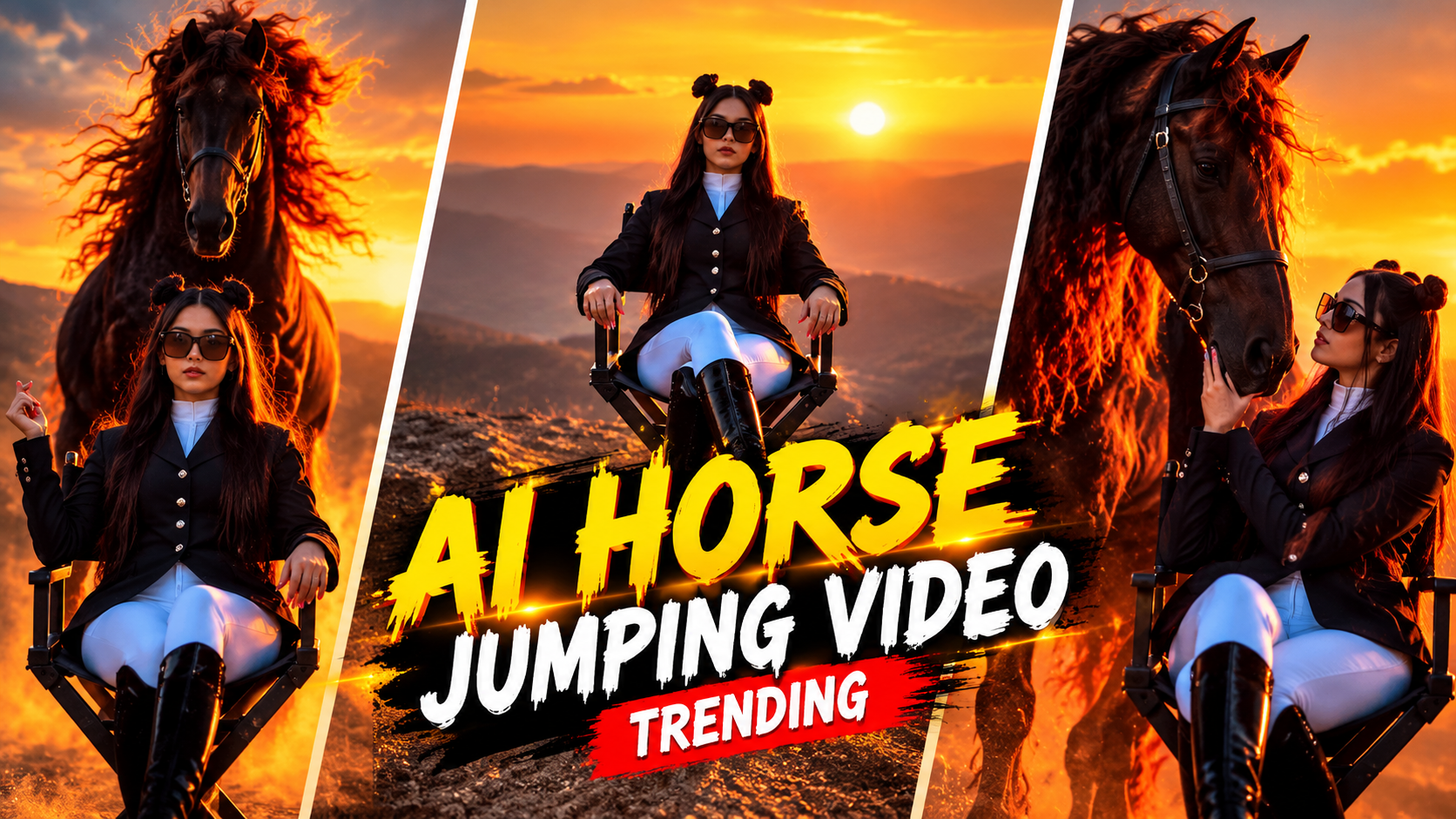
Cinematic 9:16 vertical video[span_1](start_span)[span_1](end_span). A stylish woman with double space buns, futuristic sunglasses, a dark equestrian blazer, and white pants sits gracefully on a black director's chair on a high mountain ridge during golden hour sunset[span_2](start_span)[span_2](end_span). The background features a hazy, glowing orange horizon and distant rolling mountain layers[span_3](start_span)[span_3](end_span). Suddenly, a majestic, massive dark stallion with a flowing, vibrant auburn-red mane and tail leaps dramatically from behind her, kicking up soft dust in the warm sunlight[span_4](start_span)[span_4](end_span). The horse lands smoothly behind the chair, and the woman turns to gently stroke its face as it lowers its head[span_5](start_span)[span_5](end_span). Photorealistic, high-end commercial quality, smooth slow-motion action, rich cinematic lighting, 4k resolution[span_6](start_span)[span_6](end_span).
Rendering button press karne se pehle poori video ko bina ruke playback mein dekhein. Check karein ki:
- Story ka opening hook pehle 3 seconds ke andar visual interest establish kar raha hai ya nahi.
- Kahi par bhi audio clip abrupt tarike se cut na ho; har audio stem ke end par halka sa micro-fade hona zaroori hai.
- Captions mobile screen ke border ya UI icons (like Instagram like/comment panel) ke peeche na chhupein.
Flow AI cloud rendering engine par export handle karta hai, isliye aapko frame dropping ya local machine freeze hone ki chinta nahi karni padti. Aap crisp 1080p ya 4K H.264/H.265 profile mein final export le sakte hain.
Bonus Tip: The “Audio-First J-Cut” Technique Se Retention Badhayein

Here is a detailed AI video generation prompt designed to capture the exact cinematic style, eerie-to-heartwarming narrative shift, and emotional progression of the video: Cinematic AI Video Prompt > Prompt: "A high-end cinematic drama and thriller video featuring a dramatic emotional transformation. > * Scene Start (0:00 – 0:05): A distressed young man with round glasses and a knitted vest is crying heavily, holding and aiming a handgun inside a dilapidated, dust-filled room with ruined walls. Standing across from him is a pale, eerie young girl with dark hair and milky white eyes wearing pajamas, smiling menacingly. > * The Confrontation (0:06 – 0:08): The man drops his weapon in panic and raises his hands defensively as the creepy child crawls swiftly across the debris-littered floor. > * The Transition (0:09 – 0:20): A magical, seamless visual shift transports the environment to a lush, sun-drenched grassy hill during a glowing golden hour sunset. The tone turns deeply emotional and warm as the man joyfully lifts, hugs, spins, and plays with a smiling, laughing toddler. > * Resolution (0:21 – 0:29): A wide cinematic shot captures the father and child sitting together on the hilltop overlooking a hazy distant horizon, ending with a tender close-up of him gently kissing the top of her head. > Camera & Aesthetics: Photorealistic 4K, professional color grading, sharp focus, dramatic lighting contrast transitioning from cool, dark thriller tones to warm, golden cinematic hues, shallow depth of field." > Tips for Best Results in Text-to-Video Generators (like Sora, Kling, or Runway): * Aspect Ratio: Set the generator to 9:16 vertical format to match standard mobile reels and short-form video templates. * Keyframing: If using an image-to-video tool, upload the first frame (the man crying with the gun) to maintain character consistency across the dramatic scene switch.
Traditional high-end editing ka ek proven secret hai jise modern storytelling mein J-Cut kaha jata hai, aur aap ise Flow AI timeline par effortlessly apply kar sakte hain.
J-Cut ka matlab hota hai ki agle scene ka audio pichhle scene ke khatam hone se 0.5 second pehle sunai dene lagta hai, jabki purana visual abhi screen par hi hota hai.
Jab bhi aapka scene change ho raha ho ya koi naya turning point aane wala ho, agle scene ka dialogue ya sound effect 10-15 frames pehle shuru kar dein. Yeh human brain mein instant curiosity trigger karta hai aur viewer agle scene ko dekhne ke liye visual swipe nahi karta. Is simple micro-adjustment se audience drop-off drastically kam ho jata hai.
Conclusion
Flow AI se storytelling videos create karna technical barriers ko khatam karke aapko pure narrative creativity par focus karne ki absolute power deta hai. AI repetitive tasks aur asset matching ko handle karta hai, lekin video ka emotional impact aapke narrative vision aur pacing decisions par rely karta hai. Har roz nayi visual scripts test karein, alag-alag sound design layers ke sath experiment karein, aur continuous practice se apni visual storytelling skills ko next level par le jayein.