About the Author:
Main hoon MD Maqsood, ek professional video editor aur content strategist jise post-production aur editing industry mein 7+ saal ka practical experience hai. Apne YouTube channel “m4editorofficial” (13.6K+ subscribers) aur Instagram community “m4_editor_official” (145K+ creators family) ke through main rozana naye video editors ko cutting-edge visual techniques, trending aesthetic hacks aur genuine editing concepts bilkul free mein sikhata hoon. Mera vision har creator ko tool-dependent banane ke bajaye unhe ek visionary visual artist banana hai.
Gemini AI Video Prompt for Instagram Reels (2026 Viral Formula & Complete Step-by-Step Guide) M4 157
Instagram Reels ka algorithm 2026 mein pehle se kahin zyada demanding aur visually intelligent ho chuka hai. Wo zamana gaya jab koi bhi random stock footage ya basic cut-paste video viral ho jati thi. Aaj audience ka attention span mushkil se 1.5 se 2 seconds ka reh gaya hai. Agar aapki Reel ke opening frame mein intense hook, dynamic camera movement aur cinematic colour depth nahi hai, toh viewer turant swipe-up kar deta hai. Isi wajah se smart creators ab Gemini AI video prompts ka use karke ultra-realistic, scroll-stopping visual clips generate kar rahe hain.
Google Gemini AI multimodal intelligence ke mamle mein video generation engines (jaise Google Veo, Runway, Luma, aur Kling) ke liye shot-by-shot visual storyboards aur hyper-detailed text prompts create karne ka sabse powerful tool ban chuka hai. Par reality yeh hai ki 90% creators Gemini se flat aur robotic output nikaalte hain kyunki unhe prompt structure aur video cinematography ki real understanding nahi hoti. Is complete guide mein hum step-by-step explore karenge ki aapko kaise professional prompts craft karne hain taaki aapki Reels par maximum retention, likes aur shares generate ho sakein.
The Core Blueprint: High-Retention Video Prompt Architecture
Ek viral video prompt likhna kisi film director ki tarah frame design karne jaisa hai. Jab aap Gemini ko instruction dete hain, toh aapka text 5 Critical Production Layers mein divide hona chahiye:
- Aspect Ratio & Screen Real Estate: Vertical format (9:16 aspect ratio) explicitly define karein taaki framing centre-weighted rahe aur UI icons (like button, caption area) ke piche visual na dabe.
- Subject & Micro-Action: Subject kaun hai aur uska frame ke andar dynamic vector movement kya hai (e.g., panting heavily, eyes turning towards the lens, micro-expressions).
- Optics & Camera Trajectory: Lens choice aur movement specify karein (e.g., 35mm anamorphic, low-angle whip tilt, push-in zoom).
- Atmospheric Density & Lighting: Volumetric smoke, golden hour rim-light, soft shadows, rainy reflections.
- Texture & Render Engine: Film grain, 8K hyper-detailed photorealism, RAW cinematic colour grade.
Jab aap in layers ko merge karke prompt likhte hain, toh AI engine random hallucination create karne ke bajaye ek clean, glitch-free cinematic sequence deliver karta hai.
Step 1: Hook Prompts Jo Pehle 2 Seconds Mein Retention Lock Karein
Reel ki sabse critical layer uska visual hook hota hai. Yahan camera ko hamesha aggressive movement aur unexpected visual shift par set karna chahiye.
Visual Explosion Technique
Aise visuals jo standard physics ya normal day-to-day visual expectations ko break karte hain. Viewer ka dimaag unhe samajhne ke liye pause karta hai, jisse aapka initial retention graph 100% cross kar jata hai.
- Ready-to-Use Hook Prompt:
- “Extreme close-up macro shot of an antique brass mechanical stopwatch floating mid-air, 9:16 vertical ratio, suddenly shattering outward into thousands of delicate glowing gold gears and crystal glass shards in ultra slow-motion 120fps, cinematic studio volumetric lighting, deep black obsidian backdrop, high-contrast reflections, 8K resolution, zero motion blur artefacts.”
- Beginner Practical Tip: Jab aap is prompt se generated clip ko CapCut ya Premiere Pro mein import karein, toh theek shatter hone ke moment par ek crisp Glass Crack + Sub-Bass Thud SFX layer karein. Visual aur sound ka combination viewer ko hypnotise kar deta hai.
Step 2: Aesthetic Cinematic Lifestyle & Travel Prompts
Travel, luxury aur lifestyle reels par audience naturally zyada save aur share karti hai. Is category mein lighting aur camera glide sabse bada role play karte hain.
The Warm Sunset Gimbal Shot
Dull travel videos ko bypass karke high-end luxury commercial look create karne ke liye ambient colour grading ko prompt mein explicitly target karein.
- Ready-to-Use Travel Prompt:
- “Smooth continuous 9:16 vertical tracking gimbal shot flying over pastel-tinted cliffside villas in Amalfi Coast at deep golden hour, drone swooping smoothly down towards turquoise Mediterranean waves crashing softly on wet pebbles, warm amber sunset lens flare, delicate sea spray particles glowing in backlight, cinematic 35mm film grain aesthetic, rich teal and orange tones.”
- Beginner Practical Tip: AI video mein kabhi bhi flat daytime light generate mat karwayein. Hamesha “Golden Hour”, “Blue Hour Twilight”, ya “Moody Overcast Rain” jaise terms specify karein taaki footage naturally professional lage.
Step 3: Sci-Fi & Cyberpunk Dystopian Storytelling Prompts
Instagram par faceless theme pages aur storytelling channels is visual style se laakhon views pull kar rahe hain. High visual contrast mobile screens par instantly pop karta hai.
Cybernetic Humanoid Realism
Mechanical details aur human skin textures ka balance viewer curiosity ko trigger karta hai.
- Ready-to-Use Sci-Fi Prompt:
- “Cinematic medium close-up of a futuristic cyberpunk traveller standing in a narrow neon-drenched Tokyo alleyway during heavy midnight rainfall, 9:16 vertical framing, neon pink and cyan holographic reflections rippling across transparent wet raincoat, glowing fibre-optic wiring subtly woven into skin, soft volumetric steam rising from street grates, shallow depth of field with creamy background bokeh.”
- Beginner Practical Tip: Is tarah ke visuals ke liye slow ambient synthwave ya dark cinematic bass pad background audio select karein. Fast cuts ke bajaye 3 to 4 seconds ka unbroken smooth glide clip zyada mysterious feel deta hai.
Step 4: Satisfying ASMR & Kinetic Motion Prompts
Kinetic visuals Instagram par looping videos banane ke liye world-best hote hain. Reels par agar user video ko 2 baar loop mein dekh leta hai, toh algorithm use exponential boost deta hai.
Fluid Dynamics & Tactile Motion
Liquid textures aur mechanical symmetry insani aankh ko naturally satisfying lagti hain.
- Ready-to-Use ASMR Prompt:
- “Top-down orthographic 9:16 vertical shot of a razor-sharp steel blade smoothly slicing through a layered pastel-neon kinetic sand cube, ultra-smooth tactile physics, crisp blocks cascading outward, bright clean minimalist studio setup, soft diffused shadows, high-speed photography, hyper-satisfying loop.”
- Beginner Practical Tip: Loop create karne ke liye clip ke first frame aur last frame ki visual positioning ko timeline par match karein, aur audio track ko zero-crossing beat par cut karein taaki end-to-start transition imperceptible ho jaye.
Step 5: Surreal Mind-Bending Visual Prompts for Viral Discussions
Comments section ko active karna algorithm ka second biggest signal hota hai. Jab aap kuch aisa dikhate hain jo logical boundaries ko challenge karta hai, toh log comments mein debate shuru kar dete hain.
Gravity-Defying Natural Wonders
Nature aur impossible physics ka blend high-curiosity content banata hai.
- Ready-to-Use Surreal Prompt:
- “Low-angle vertical 9:16 perspective looking up at a lush pine forest where heavy raindrops are defying gravity and falling slowly upward towards the sky, ultra-slow motion 240fps, sunbeams filtering through green needles illuminating ascending water pearls, dreamlike atmosphere, photorealistic nature documentary style, Kodak Portra 400 colour science.”
- Beginner Practical Tip: Aisi clips ke caption mein hamesha ek provocative question drop karein: “What if physics stopped working for 5 seconds? Drop your thoughts below.” Yeh simple call-to-action comment engagement ko 300% tak boost kar deta hai.
Professional Post-Production: AI Clips Ko Timeline Par Grade Kaise Karein?
Google Gemini se prompt likh kar aapne video toh generate kar li, lekin raw AI output kabhi bhi direct upload karne layak 100% perfect nahi hota. Ek 7-year experienced editor ke roop mein main aapko apna internal post-production checklist deta hoon:
AI Output Challenge
Timeline Solution
Software Tool / Setting
Slight AI Skin Waxiness
Add Authentic Film Texture
35mm Grain Overlay at 12–16% Opacity (Blend: Overlay)
Mechanical Frame Jerkiness
Frame Interpolation
CapCut / Premiere Pro “Optical Flow” Smooth Motion
Lack of Depth & Punch
Manual S-Curve Adjustment
Shadows -6, Contrast +12, Highlights -10, Sharpness +15
Missing Sound Immersion
Multi-Layer Tactile Foley
Layer Footsteps, Wind Rustle, Sub-Drop on Visual Shift
Pro Editing Rule: AI sirf video ka body banata hai; uska soul sound design hota hai. Agar aapne ek cinematic AI clip ke piche high-quality spatial SFX nahi lagaya, toh viewer connection kabhi form nahi hoga.
Bonus Tip: The “Reverse Optical Zoom” Workflow
Instagram Reels par retention retain karne ka ek secret editing hack hai: The Artificial Push-Pull Effect (Vertigo Zoom).
Jab aap Gemini se video prompt generate karwayein, toh prompt mein camera ko steady forward tracking instruction dein. Timeline par clip import karne ke baad, editing software mein first frame par clip ka scale 115% rakhein aur end frame par use smoothly keyframe karke 100% par drop karein. Isse ek counter-intuitive dynamic motion create hota hai—jahan AI camera aage ja raha hota hai aur software canvas piche stretch ho raha hota hai. Yeh micro-movement viewer ke visual equilibrium ko hold karke rakhta hai, jisse watch-time naturally 100% ke paar nikal jata hai.
Strategic Distribution: Instagram SEO & Metadata Setup
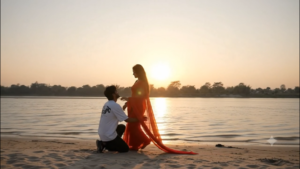
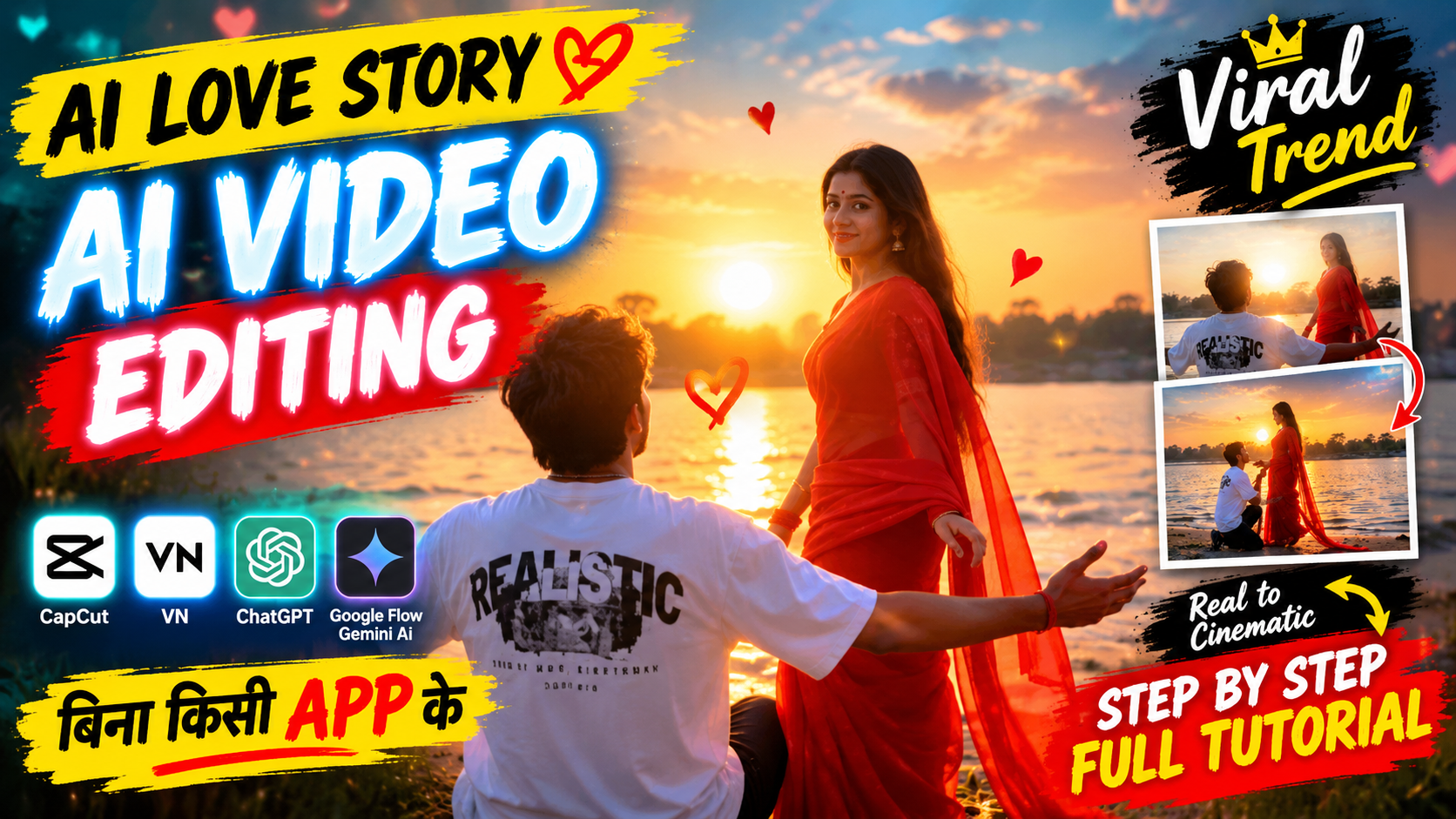
Cinematic AI Video Prompt Breakdown Based on the provided video, here is a detailed AI video generation prompt designed to recreate its romantic mood, character actions, and aesthetic style: Master AI Video Prompt (Ready to Use) > "A cinematic, emotional romantic scene during a golden hour sunset by a wide riverbank. A young man wearing a white t-shirt kneels on the sandy ground with his arms open. A young woman with long flowing hair wearing a vibrant red traditional sari moves gracefully along the shore, her red fabric fluttering in the wind. Soft warm sunlight, sentimental Bollywood music video aesthetic, nostalgic mood, realistic textures, cinematic wide shots and shallow depth-of-field close-ups, high quality." > Key Visual Elements * Setting & Atmosphere: A serene riverbank during sunset with a glowing golden sun on the horizon, creating a warm, emotional, and romantic atmosphere. * Male Character: A young man dressed in a casual white t-shirt, kneeling on the sandy ground with open arms facing toward the woman. * Female Character: A graceful young woman with long dark hair, wearing a flowing red sari that flutters in the breeze. * Camera Movements & Framing: Alternating between wide landscape shots of the riverbank and medium close-up tracking shots of the woman walking past while the man is visible in the background. Would you like to adjust this prompt to fit a specific AI video generator like Runway Gen-3, Luma Dream Machine, or Kling?..
Aapka prompt aur visual kitna bhi shandar ho, agar Instagram algorithm use right audience tak categorise nahi karega toh virality slow ho jayegi.
- Keyword-Optimized Caption: Caption ke pehle 2 lines mein core keywords naturally use karein, jaise: “Creating hyper-realistic visual concepts using Gemini AI video prompt for Instagram Reels. Breaking down the camera movement and lighting breakdown below.”
- Audio Strategy: Agar aap AI voiceover use kar rahe hain, toh background mein ek low-volume (3-5%) trending Instagram audio track link karein taaki video audio algorithm ke trending tab mein rank kar sake.
- Relevant Niche Tags: Massive spam tags ke bajaye 4-5 focused tags use karein: #AIVideoEditing #GeminiAI #ReelsGrowth #CinematicPrompts #VideoEditorWorkflow.
Conclusion
Gemini AI video generation prompt craft karna koi technical coding nahi hai, balki visual direction ka ek modern form hai. Jab aap camera angles, physical lighting aur dynamic movement ko ek clear framework mein assemble karte hain, toh ordinary text cinematic viral masterpiece mein badal jata hai. Roz naye prompts ke sath experiment karein, timeline par sound design aur colour correction ko refine karein, aur continuous practice se apni visual storytelling skills ko level-up karte rahein. Edit karte rahiye, seekhte rahiye!