About The Author
Hi creators! Main hoon MD Maqsood, ek professional video editor with 7+ years of industry experience. Video editing aur visual storytelling meri life ka sabse bada passion hai. Aaj YouTube par hamari m4editorofficial family 13.6K subscribers ki hai aur Instagram par m4_editor_official page ke sath 145K creators jud chuke hain. Is website ka simple motive yahi hai ki har beginner aur aspiring creator bina kisi paid course ke real-world editing techniques, viral formulas aur premium AI prompts bilkul free me seekh sake.
Viral AI Video Editing Prompt 2026: Convert Photos Into 8K Cinematic Slow-Motion Reels M4 123
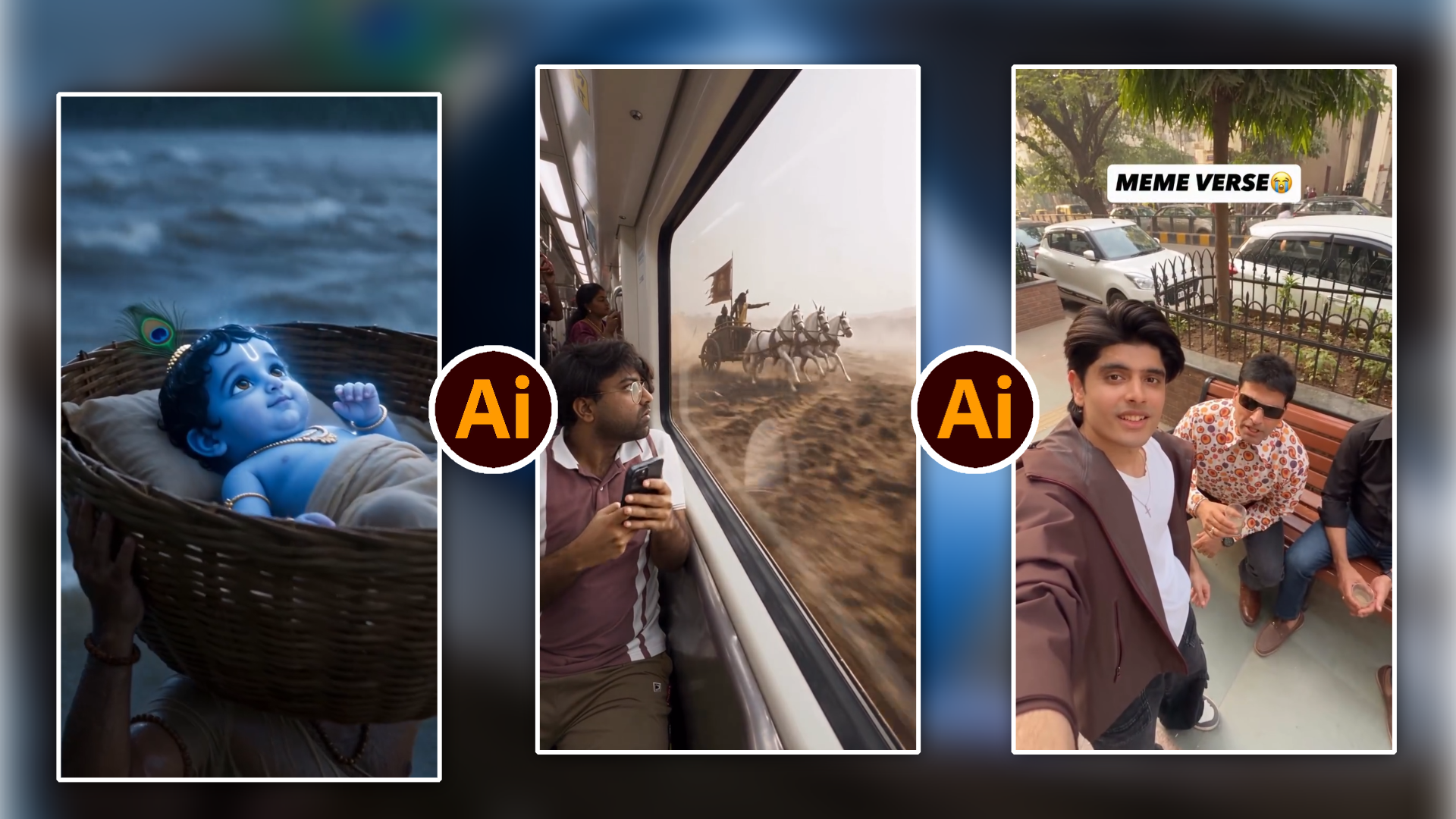
Social media content creation ka landscape 2026 mein poori tarah badal chuka hai. Pehle ek cinematic slow-motion reel shoot karne ke liye costly mirrorless cameras, expensive gimbals, prime lenses aur ghanton ki colour grading mehnat lagti thi. Lekin ab AI video models itne advanced ho chuke hain ki aap apni ek simple 2D portrait photo ko hyper-realistic 8K cinematic video me convert kar sakte hain sirf ek powerful text prompt ki madad se.
Instagram Reels aur YouTube Shorts par is waqt slow-motion aesthetic visuals ka retention rate sabse zyada hai. Jab viewer ki feed par smooth camera pan, soft wind motion aur natural depth of field wala cinematic clip play hota hai, toh scroll turant ruk jata hai. Aaj ke is detailed masterclass guide mein hum step-by-step cover karenge ki kaise aap Google Flow Beta / Google AI tool ka use karke ordinary photos se high-ticket cinematic video generate kar sakte hain.
What Is Google AI Flow & Why It Is Going Viral In 2026
Traditional AI video generators aksar faces ko distort kar dete the ya fir unka motion kaafi artificial aur robotic lagta tha. Google Flow Beta ne motion consistency aur lighting integration ko naye level par la diya hai.
Is tool ki sabse badi khoobi iska Physically Accurate Motion Physics engine hai:
- Reference Face Preservation: Yeh subject ke original facial features, skin texture aur expressions ko 100% preserve rakhta hai bina kisi warping ke.
- Micro-Dynamics Simulation: Kapdon ka hawa mein lehrana (fabric sway), natural eye blinking aur gentle breathing movement real camera footage jaisa feel deta hai.
- Cinematic Optical Rendering: AI frame ke depth ko samajh kar professional camera bokeh, volumetric lens flare aur 24fps cinematic motion blur simulate karta hai.
Complete Step-by-Step Guide: How To Create Cinematic AI Video
Agar aapne pehle kabhi koi AI tool use nahi kiya hai, toh bhi yeh workflow aapke liye completely seamless hoga. Neeche diye gaye steps ko order-wise follow karein:
Step 1: Install & Set Up Google Flow Beta App
Sabse pehle apne smartphone ke app store ya secure source se Google Flow Beta App download aur install karein. App install hone ke baad apne regular Google account se log in karein taaki aapko cloud rendering aur free compute credits ka smooth access mil sake.
Step 2: Create A New High-Resolution Project
App open karte hi aapko clean user interface dikhega:
- Home screen par New Project (+) option par click karein.
- Generation type mein Video section ko select karein.
Step 3: Choose High-Quality Reference Photo
Video quality ka direct relation aapki source image ki quality se hota hai. Media library se apni gallery mein jayein aur ek clean, high-resolution portrait ya full-body photo upload karein jismein lighting clean ho aur subject clear ho.
Step 4: Aspect Ratio & Resolution Configuration
Social media content creation ke hisaab se right canvas setting select karein:
- Aspect Ratio: Reels aur Shorts ke liye 9:16 vertical ratio select karein.
- Duration: Initial test ke liye 4s se 8s duration perfect rehti hai.
- Motion Strength: Motion sensitivity ko natural aesthetic ke liye medium par set rakhein.
Step 5: Paste The Master AI Video Prompt
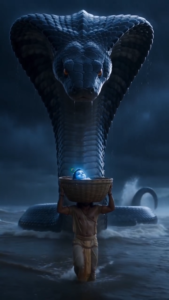
Video Prompt 👇
Ab input prompt box mein humara tried-and-tested Viral AI Master Prompt paste karein aur Generate button par click karein. Kuch hi seconds mein AI render process complete ho ke aapki ultra-smooth cinematic video preview ke liye ready ho jayegi.
Official Google Gemini AI Cinematic Video Master Prompt
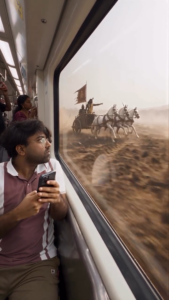
Video Prompt 👇
Click Here
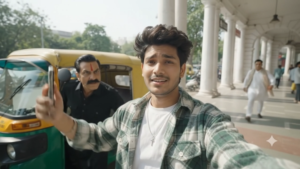
Cinematic perfection paane ke liye prompt structure clean aur descriptive hona zaroori hai. Is master prompt ko use karke aap exceptional output generate kar sakte hain:
Video Structure:
Character / Person Appearance
Primary Vlogger: Young Indian man in his early 20s, expressive face, styled dark curly hair, clean-shaven jawline.
Meme Lookalikes / Cameos:
Vasooli character: Middle-aged man with sharp features, a thick handlebar mustache, slicked-back black hair, and a red vertical tilak on his forehead.
Politician mimic: Middle-aged man with short black hair and a small red bindi/tilak.
Street model/rapper: Slim young man with an eccentric top-knot high ponytail.
Middle-aged street vendor: Bald, round-faced man with a sly grin.
Podcast speaker: Sharp-featured man in his late 20s imitating a motivational speaker/celebrity demeanor.
🎬 Camera Angle & Movement
Style: Fast-paced handheld smartphone vlog perspective combined with rapid street-level tracking.
Movements:
Starts in an ultra-wide selfie POV walking backwards.
Dynamic whip pans (snap transitions) turning 90° to 180° towards new subjects along the sidewalk.
Low-angle push-in shots and quick snap-zooms focusing on comedic expressions and reactions.
🌆 Background & Location
Setting: Colonial-era heritage market arcade (reminiscent of Connaught Place, New Delhi).
Environment: Wide pedestrian walkway paved with grey and terracotta-red tiles, flanked by iconic towering white Tuscan colonnade pillars and boutique shopfronts on one side, and a bustling urban street on the other with passing traffic, green-and-yellow auto-rickshaws, and lush green roadside trees under an open blue sky.
💡 Lighting & Shadows
Source: Harsh, bright direct midday sunlight.
Shadow Dynamics: High-contrast daylight casting deep, sharp geometric shadows beneath the covered columned verandas; soft reflected fill bouncing off the white pillars onto characters’ faces.
👕 Clothes & Objects
Outfits:
Host: Green-and-white plaid oversized flannel shirt over a plain white crewneck tee, thin silver chain with a cross pendant.
Cameos: Traditional black Pathani suit; white cotton kurta-pyjama draped with a beige pashmina shawl; blue-and-white striped casual kurta; cream Pathani with dark sunglasses; blue collared polo shirt; white overshirt over a brown tee with cream sneakers.
Props & Gear: Green/yellow CNG auto-rickshaw, stainless-steel street food cart, DSLR cameras on heavy-duty tripods, softbox and round honeycomb-grid LED studio lights, press microphones with red cube flags, office swivel chair on the sidewalk.
🎨 Color Grading & Style
Aesthetic: Crisp, modern viral short-form social media video grade.
Palette: Vibrant warm natural tones, saturated foliage greens, vivid auto-rickshaw yellows, contrasted against stark colonial white arches and warm terracotta tiles.
🏃 Character Action & Movement
Beat 1: Host walks backwards talking directly into the phone camera before a passenger pops his head out of an auto-rickshaw to interrupt.
Beat 2: A frantic politician figure runs past while swerving around aggressive reporters thrusting microphones.
Beat 3: A centered fashion pose with four crouched photographers aggressively clicking photos in a circle.
Beat 4: A man sitting on a plastic stool points his finger up confidently delivering a punchline.
Beat 5: Quick cut to an impromptu street podcast recording setup where a seated host gestures intently into a studio mic.
📐 Aspect Ratio & Cinematic Composition
Aspect Ratio: 9:16 (Vertical Full HD / 1080×1920).
Framing: Centered, eye-level vlog framing shifting rapidly into dynamic medium wide-shots utilizing deep linear perspective down the colonnaded corridor.
Aap prompt ke saath-saath alag-alag styles (rain reflection, golden hour, moody vintage, Cyberpunk lighting) ke aur bhi multiple variation prompts bilkul free me m4editor.com par explore aur copy kar sakte hain.
How To Customise Prompts For Different Themes
Ek pro creator ki tarah different storytelling styles create karne ke liye aap master prompt ke atmosphere section me minor adjustments kar sakte hain:
1. Traditional & Royal Aesthetic
Agar traditional attire, lehenga ya saree wali portrait photo hai, toh prompt me yeh keyword add karein:
- Slow 360 rotation, dramatic overhead view, wet floor light reflections, intricate jewellery shimmer, festive warm golden rim light.
2. Modern Street Style & Urban Vibe
Agar casual outfit, jacket ya streetwear portrait hai:
- Low-angle slow tracking shot, neon city lights bokeh, moody teal and orange film tone, sharp rim lighting, subtle rain droplets falling.
3. Golden Hour Outdoor Mood
Nature aur green garden background portraits ke liye:
- Soft sunlight rays filtering through tree leaves, warm amber glow, gentle wind, shallow depth of field with creamy foreground blur.
Pro Post-Processing Workflow For 100% Viral Retention
Sirf AI se video generate karke seedha upload karne ke bajaye agar aap 2 minute ka post-processing touch denge, toh video ka virality score 3x badh jata hai:
- Speed Ramping (CapCut / VN Editor): Generated clip ko video editor mein import karein. First 0.5 seconds ko normal speed (1.0x) par rakhein, fir sudden 0.3x ultra-smooth slow motion apply karein. Yeh quick transition viewer ko instantly hook karta hai.
- Colour Grading & Clarity Boost: Clip ki highlights ko -5% reduce karein, Shadows ko +8% lift karein aur halka sa Warm Tint add karein taaki AI-generated visual me realistic film camera look aa sake.
- Atmospheric Sound Design (SFX): Background me trending audio track lagane ke saath subtle sound effects add karein, jaise wind breeze swoosh, payal / footstep sound, cloth rustle ya ambient outdoor nature tone. Audio immersion se audience retention double ho jata hai.
Advanced Secret Formula For Instagram Reels & YouTube Shorts Algorithm
2026 ke short-form algorithms ka prime focus Average Percentage Viewed (APV) aur Saves/Shares par hai. AI cinematic videos ko optimise karne ka best strategy formula:
- Visual Loop Hack: Clip ke last frame ko first frame ke movement se match karein taaki viewer ko pata hi na chale ki video kab dobara start ho gayi. Perfect seamless loop se aapka retention rate 100%+ chala jata hai.
- Clean Frame (No Text Overload): AI cinematic visuals aesthetic-heavy hote hain. Shuruat ke 2-3 seconds screen par bada text daal kar frame ko clutter na karein. Sirf subtle bottom subtitle ya minimalist caption use karein.
- Engaging Hook In Caption: Caption mein hamesha saveable value provide karein, jaise prompt details aur editing apps ki list, taaki log video ko save karein.
Conclusion
AI video generation tools creators ke creative workflow ko fast aur effortless banane ke liye design kiye gaye hain. Sahi reference image, balanced prompt drafting aur accurate post-production touch ke saath aap bina kisi high-end equipment ke stunning cinematic short-form videos create kar sakte hain. Abhi is master prompt ko m4editor.com se copy karein, apni images par implement karein aur consistency ke saath practice karke apne editing level ko elevate karein. Keep editing and keep creating!